Search categories, packages and repositories

insta_like_button cover
Package detailsv0.1.1

insta_like_button

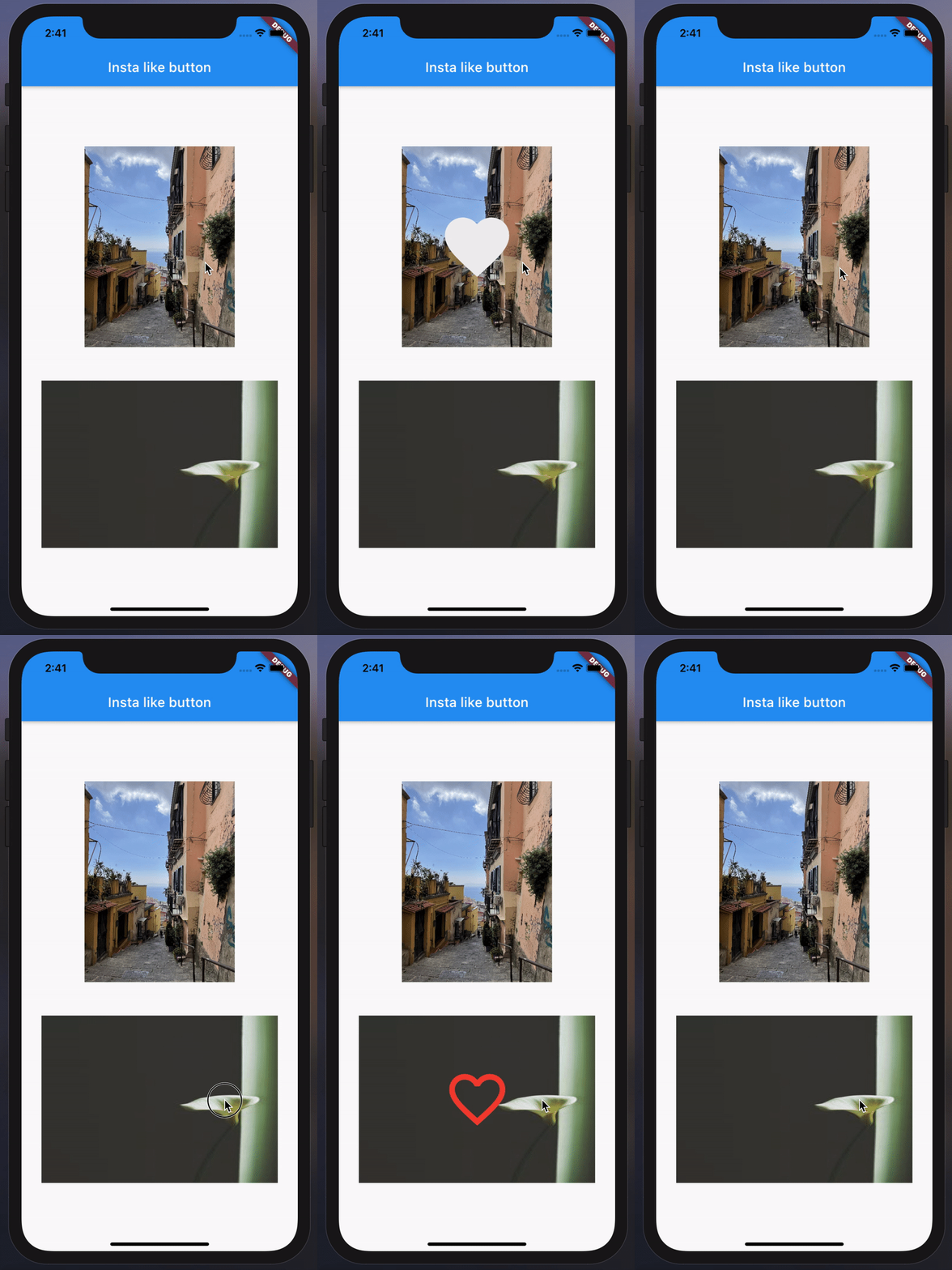
Instagram post style customizable card widget made for flutter

AndroidiOSWebmacOSWindowsLinux
30-day downloads
28
Likes
43
Pub points
160

Install package

flutter pub add insta_like_button

Package Overview

Package selection guidance compiled from public package information, community data, and project usage.

The insta_like_button package provides a customizable card widget for Flutter that mimics the Instagram post style, enabling developers to easily integrate like and comment interactions into their apps. It supports smooth animations, customizable colors, icons, and text, making it ideal for social media applications. The widget is designed to be lightweight and responsive across all major platforms, including Android, iOS, Web, macOS, Windows, and Linux. With a simple API, it enhances user engagement with minimal setup.

Use cases

  • Social media app feeds
  • User interaction widgets
  • Instagram-style post cards
  • Real-time like counters
  • Interactive content displays

Key features

  • Instagram-inspired design
  • Customizable colors and icons
  • Smooth animation effects
  • Cross-platform compatibility
  • Simple integration with Flutter
  • Support for like and comment actions

Suitable for

  • Flutter developers building social apps
  • Designers wanting native-like UI components
  • Apps requiring interactive post cards
  • Projects targeting multiple platforms
  • Developers seeking quick UI enhancements

Considerations

  • Requires Flutter SDK 2.0 or higher
  • Limited to basic interaction patterns
  • May need additional logic for backend sync
  • Not suitable for complex social features beyond likes/comments

Original README

Original README snapshot from the linked source repository. Visit the repository for the latest content.

Insta Like Button

License: MIT License: MIT

Installing

Depend on it

Add this to your package's pubspec.yaml file:

dependencies:
  insta_like_button: ^0.1.1
Install it

You can install packages from the command line:

$ flutter pub get
...
Import it

Now in your Dart code, you can use:

import 'package:insta_like_button/insta_like_button.dart';

Usage & Overview

With required parameters.
InstaLikeButton(
  image: AssetImage("example/overview/img.jpg"),
  onChanged: () {
    // Do something...
  },
),
With all parameters (Customized InstaLikeButton).
InstaLikeButton(
  image: NetworkImage("https://picsum.photos/200/300"),
  onChanged: () {
    // Do something...
  },
  icon: Icons.favorite_border,
  iconSize: 80,
  iconColor: Colors.red,
  curve: Curves.fastLinearToSlowEaseIn,
  height: 200,
  width: MediaQuery.of(context).size.width - 20,
  duration: const Duration(seconds: 1),
  onImageError: (e, _) {
    // Do something...
  },
  imageAlignment: Alignment.topLeft,
  imageBoxfit: BoxFit.fill,
  imageScale: 2.0,
  imageColorFilter: ColorFilter.mode(
    Colors.black.withOpacity(0.5),
    BlendMode.dstATop,
  ),
),

Categories

Source repository

Projects using this package

No data available yet.