
Search packages, repositories and app categories

loading_transition_button cover
Package detailsv0.0.1

loading_transition_button

A Customizable transition button for Flutter. Animate you loading proccess with ease.

30-day downloads
8
Likes
36
Pub points
70

Install package

flutter pub add loading_transition_button

Package Overview

Package selection guidance compiled from public package information, community data, and project usage.

A customizable transition button for Flutter that simplifies animating loading processes. It allows developers to create smooth, visually appealing transitions between states—such as normal, loading, and success—using intuitive configuration. The package supports custom animations, colors, icons, and text changes, making it ideal for enhancing user feedback during async operations. With minimal setup, it integrates seamlessly into any Flutter app to improve UX during actions like form submissions or data fetching.

Use cases

  • Form submission with loading state
  • Authentication flow progress
  • Data fetching indicators
  • Payment processing UI
  • Onboarding step completion

Key features

  • Customizable animation transitions
  • Support for multiple button states
  • Configurable colors and icons
  • Easy integration with async operations
  • Responsive design compatibility

Suitable for

  • Developers seeking smooth loading animations
  • Apps requiring clear user feedback
  • UI-heavy applications with interactive buttons
  • Projects using state management patterns
  • Teams prioritizing UX consistency

Considerations

  • Requires manual handling of async logic
  • Limited platform-specific customization
  • No built-in error state support
  • May need additional styling for complex layouts
  • Depends on external animation libraries for advanced effects
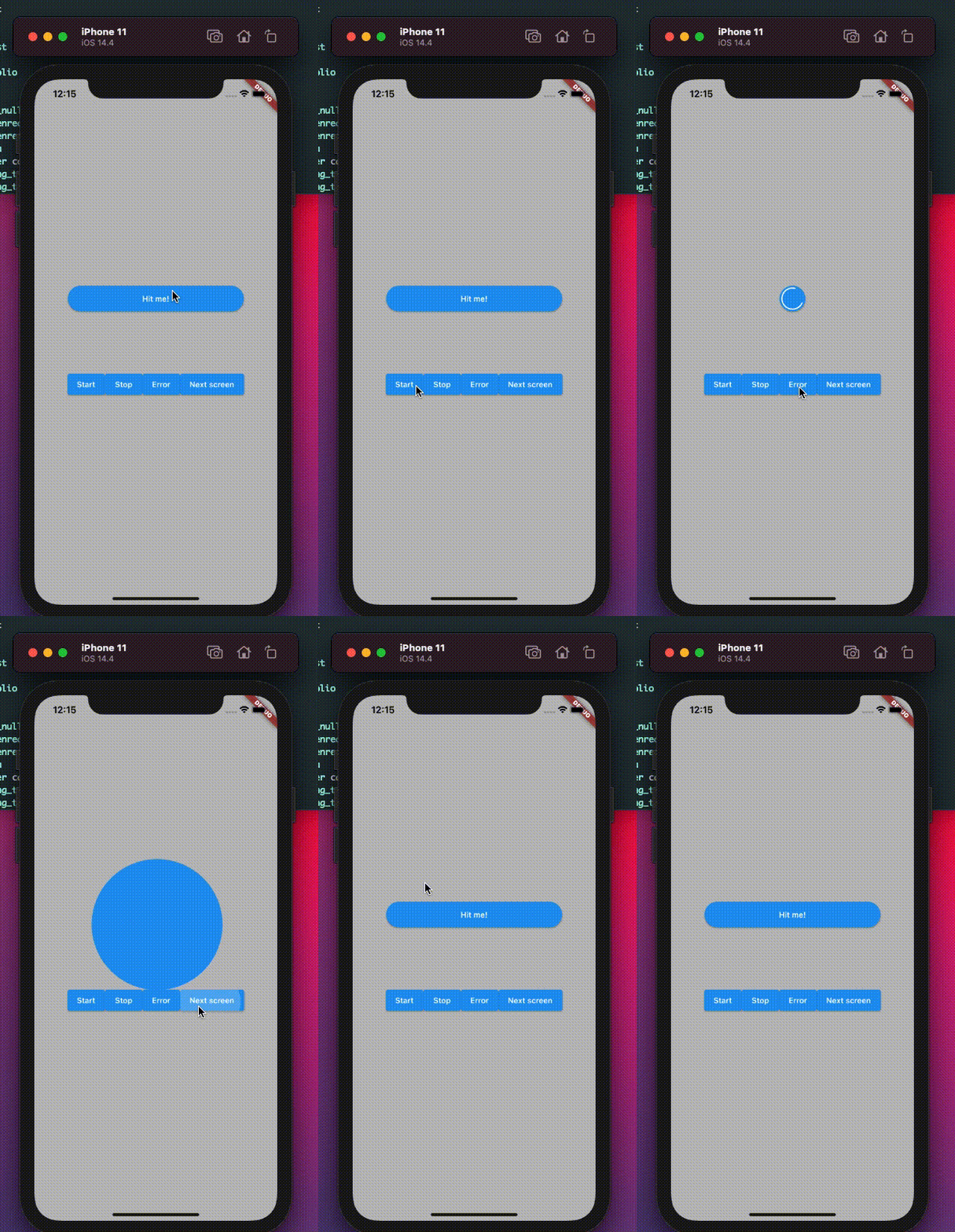
Original README

Original README snapshot from the linked source repository. Visit the repository for the latest content.

Loading Transition button

A Customizable transition button for Flutter

Getting Started

To use this package, add loading_transition_button as a dependency in your pubspec.yaml file.

dependencies:
 ...
 loading_transition_button: ^0.0.1

How to use

In your project add the following import:

import  'package:loading_transition_button/loading_transition_button.dart';

In order to use this widget you have to use a LoadingButtonController to handler the different states.

final _controller = LoadingButtonController();

This widget starts a loading animation once it's tapped or by using the controller. You can the launcher to init an error animation or stop the loading animation.

LoadingButton(
    color: Colors.blue,
    onSubmit: () => print('onSubmit'),
    controller: _controller,
    errorColor: Colors.red,
    transitionDuration: Duration(seconds: 1),
    child: Text(
    'Hit me!',
    style: Theme.of(context)
        .textTheme
        .bodyText1!
        .copyWith(color: Colors.white),
    ),
),

To support the transition to a different page to have to call the moveToScreen method

_controller.moveToScreen(
    context: context,
    page: SearchPage(),
    stopAnimation: true,
    navigationCallback: (route) =>
        Navigator.of(context).push(route),
),

navigationCallback will send you a new route that you can use for different navigation method like push or replace.

LoadingTransitionButton

AnimatedButton

Categories

Dependencies

Dependency list 1 items

Source repository

Projects using this package

No data available yet.