Search packages, repositories and app categories

magnifying_glass cover
Package detailsv2.1.1

magnifying_glass

Flutter real-time magnifying glass lens widget with Barrel/Pincushion distortion.

AndroidiOSWebmacOSWindowsLinux
30-day downloads
79
Likes
52
Pub points
150

Install package

flutter pub add magnifying_glass

Package Overview

Package selection guidance compiled from public package information, community data, and project usage.

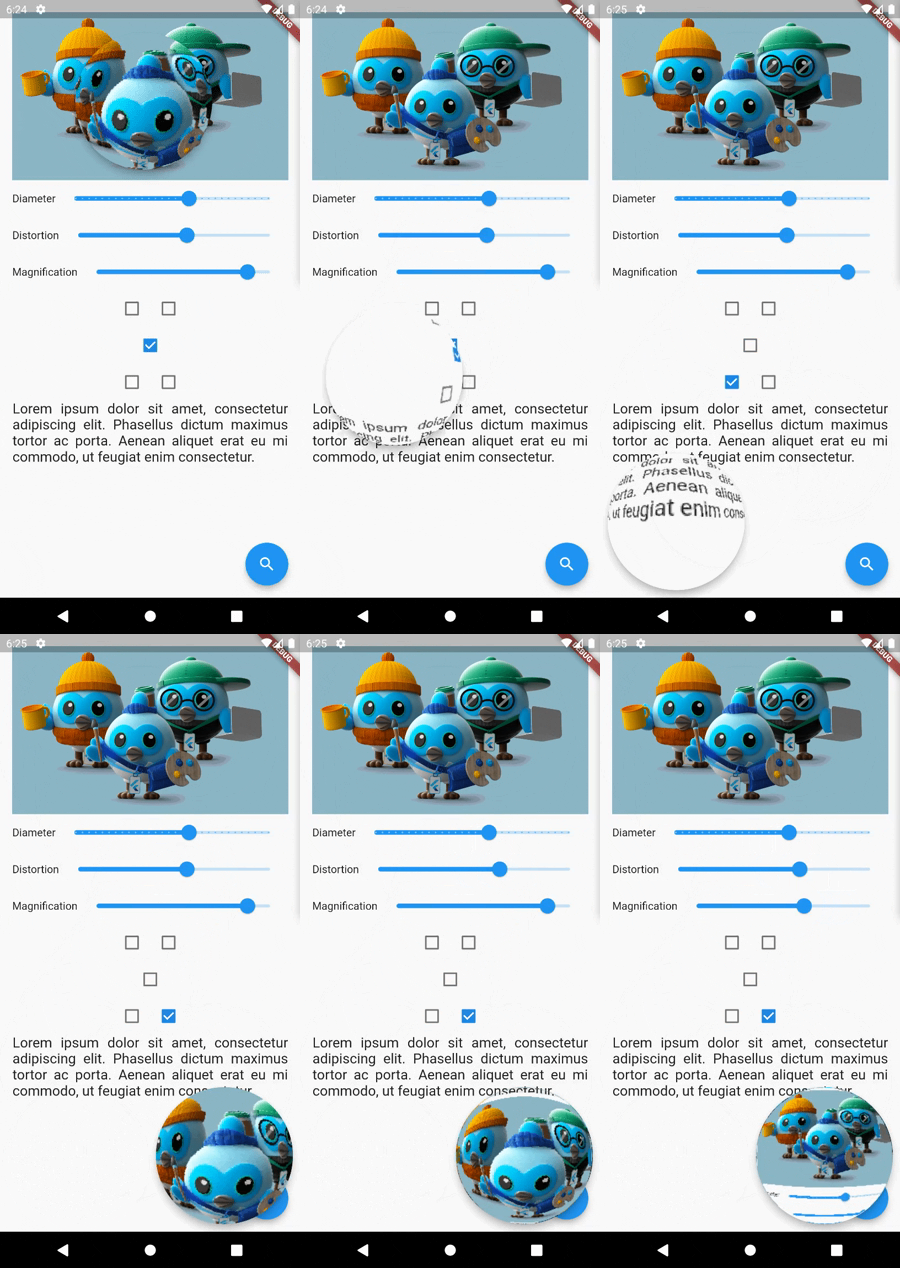
The magnifying_glass package provides a real-time magnifying glass lens widget for Flutter, featuring dynamic Barrel and Pincushion distortion effects. It enables interactive zooming on any content, ideal for detailed inspection in apps like image viewers, educational tools, or accessibility features. The widget leverages shaders for smooth performance across platforms, including mobile, web, and desktop. It integrates seamlessly into existing UIs with customizable lens size, zoom level, and position control.

Use cases

  • Interactive image inspection
  • Accessibility enhancements
  • Educational app details
  • Digital art tools
  • Product detail zoom
  • Text readability improvement

Key features

  • Real-time zoom with touch tracking
  • Barrel and Pincushion distortion effects
  • Shader-based rendering for performance
  • Cross-platform support (Android, iOS, Web, macOS, Windows, Linux)
  • Customizable lens size and zoom level
  • Smooth, responsive interaction

Suitable for

  • App developers seeking interactive zoom features
  • Accessibility-focused applications
  • Design and prototyping tools
  • Educational software
  • Image editing utilities

Considerations

  • Higher GPU usage with complex backgrounds
  • May require optimization on low-end devices
  • Limited to visual magnification without text extraction
  • Not suitable for high-precision measurement tasks
  • Performance depends on shader efficiency
Original README

Original README snapshot from the linked source repository. Visit the repository for the latest content.

MagnifyingGlass Flutter plugin

Flutter real-time magnifying glass lens widget with Barrel/Pincushion distortion.

Screenshot

Buy Me A Coffee

Getting Started

Make [MagnifyingGlass] widget as the parent of the widget you wish to be used (usually MyHomePage).

    @override
    Widget build(BuildContext context) {
    MagnifyingGlassController magnifyingGlassController = MagnifyingGlassController();
    return MagnifyingGlass(
      controller: magnifyingGlassController,
      glassPosition: GlassPosition.touchPosition,
      borderThickness: 8.0,
      borderColor: Colors.grey,
      glassParams: GlassParams(
        startingPosition: Offset(150, 150),
        diameter: 150,
        distortion: 1.0,
        magnification: 1.2,
        padding: EdgeInsets.all(10),
      ),
      child: Scaffold( 
        body: ...,

        floatingActionButton: FloatingActionButton(
          onPressed: () => magnifyingGlassController.openGlass(),
          child: const Icon(Icons.search),
        ),
      )
    );

MagnifyingGlass properties

Name Type Description
controller MagnifyingGlassController Let you control the glass state and parameters:
openGlass()
closeGlass()
setDistortion( double distortion, double magnification )
setDiameter( int diameter )
refresh()
glassPosition enum enum to set the touch behavior or sticky position
glassParams GlassParams class to set lens parameters
borderColor Color border color
borderThickness double border thickness
elevation double shadow elevation
shadowOffset Offset shadow offset

GlassPosition class

Name Description
touchPosition move the glass with finger touch
topLeft sticky position to top left corner of the screen
topRight sticky position to top rigth corner of the screen
bottomLeft sticky position to bottom left corner of the screen
bottomRight sticky position to bottom right corner of the screen

GlassParams class

Name Description
startingPosition the startin glass position. If not given the lens will be placed at the center of the screen.
diameter the diameter of the glass
magnification the magnification of the lens
1 means no magnification
>1 means magnification
<1 means shrinking
distortion Barrel/Pincushion distortion power
0 means no distortion
padding the padding surrounding the glass to enlarge touching area
distorsion0.5-mag1.0.png distorsion0.5-mag1.4.png distorsion2.0-mag1.7.png
distorsion 0.5
mag 1.0
distorsion 0.5
mag 1.4
distorsion 2.0
mag 1.7

Categories

Source repository

Projects using this package

No data available yet.