Package selection guidance compiled from public package information, community data, and project usage.
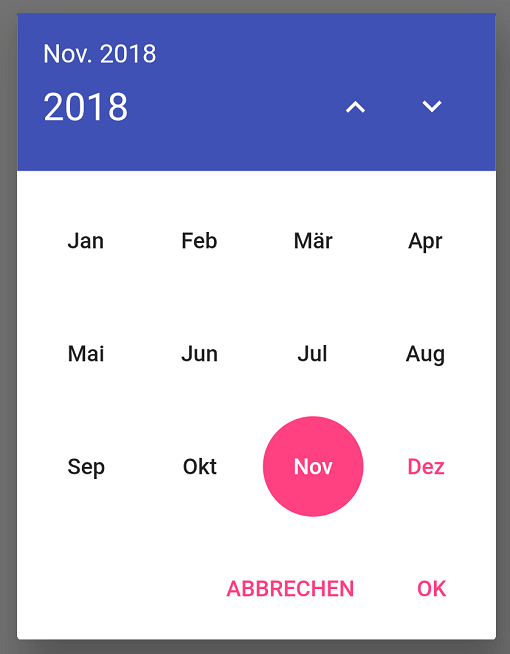
A Flutter package that provides an internationalized dialog for selecting a single month from an infinite list of years. Designed for seamless integration across platforms, it supports localization and offers a clean, intuitive interface for date selection. The dialog dynamically handles year navigation and ensures accessibility and responsiveness on Android, iOS, Web, macOS, Windows, and Linux. It is ideal for applications requiring month-level date input with global language support.
Use cases
Selecting a month in forms
Filtering data by month
Setting monthly preferences
Date-based reporting
User profile setup
Calendar-related features
Key features
Internationalization support
Infinite year scrolling
Cross-platform compatibility
Localized text and formatting
Simple API integration
Responsive design
Suitable for
Apps needing month selection
Global applications with multilingual users
Form inputs requiring dates
Data filtering by month
Developer seeking lightweight date pickers
Considerations
Does not support year selection alone
Limited to single month selection
No built-in validation
Requires manual handling of selected date
Not optimized for large datasets beyond month view
Original README
Original README snapshot from the linked source repository. Visit the repository for the latest content.
month_picker_dialog
Internationalized material style dialog for picking a single month from an infinite list of years.
This package makes use of the intl package and flutter's i18n abilities to provide labels in all languages known to flutter.
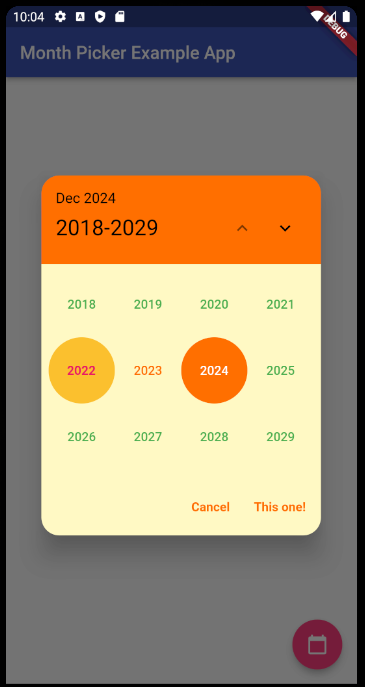
Starting with version 5.0.0 of the package, everything related to the behavior/style of it that isn't a function, date parameter or custom widget is now under the new MonthPickerDialogSettings class.
It contains three subclasses:
PickerDialogSettings to customize the dialog part of the package;
PickerHeaderSettings to customize the header part of the package;
PickerButtonsSettings to customize the buttons part of the package;
If you have any doubts on how to use this new settings class (that the sample app can't solve), please feel free to open an issue on the github project.