Search packages, repositories and app categories

pull_to_reveal cover
Package detailsv0.0.2

pull_to_reveal

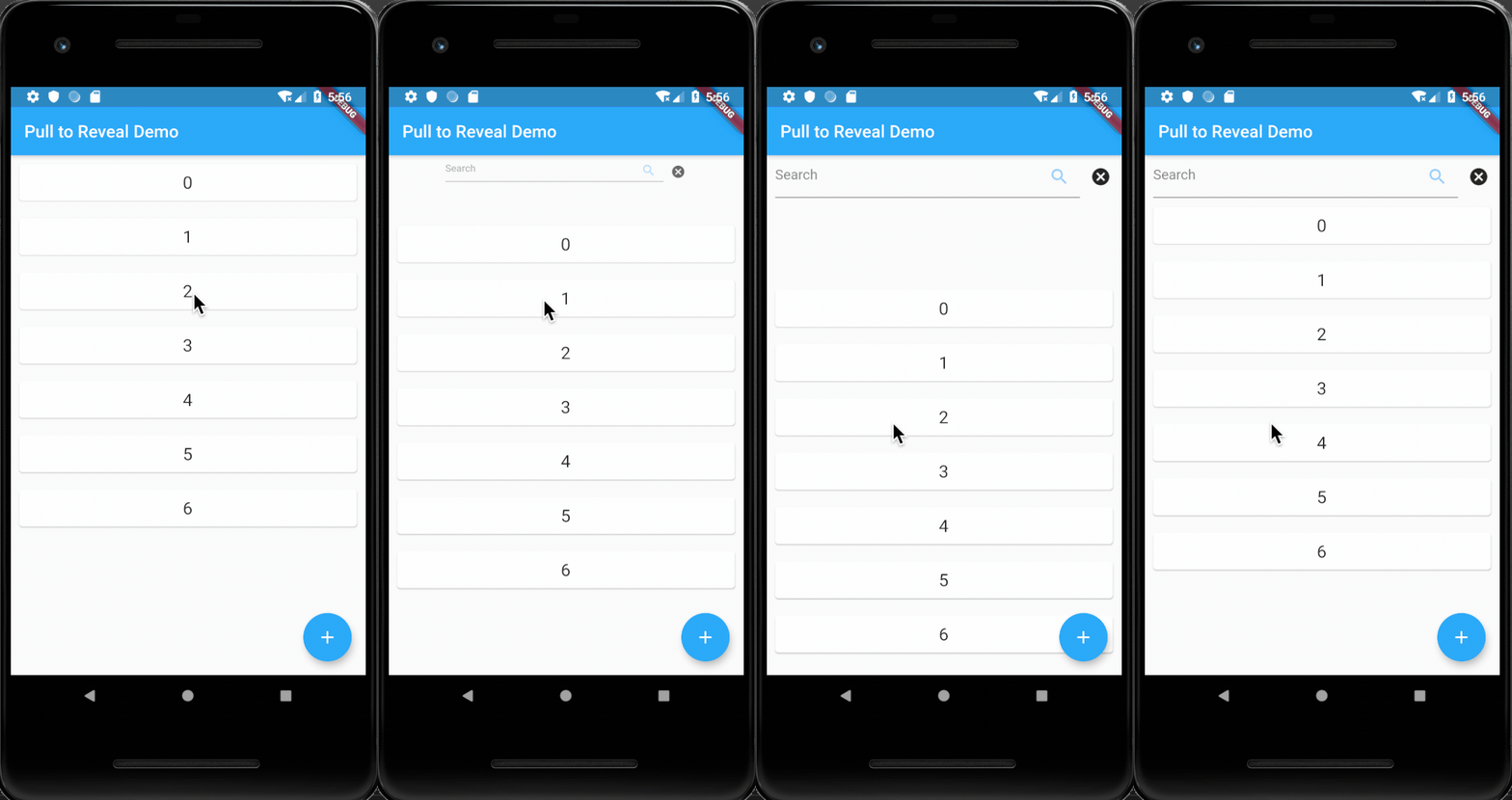
A simple Flutter widget that wraps a `ListView` and selectively renders a hidden top element based on user scroll behavior.

30-day downloads
107
Likes
29
Pub points
40

Install package

flutter pub add pull_to_reveal

Package Overview

Package selection guidance compiled from public package information, community data, and project usage.

A Flutter widget that enhances a ListView by revealing a hidden top element when the user scrolls down, then hiding it again when scrolling up. It provides a smooth, interactive experience for displaying supplementary content—like filters or actions—without cluttering the main list. The behavior is triggered by scroll direction and sensitivity, making it ideal for dynamic UIs. It's lightweight and easy to integrate into existing list-based interfaces.

Use cases

  • Interactive header reveal
  • Filter or action bar display
  • Dynamic UI layering
  • Scroll-driven content toggling
  • Enhanced list navigation
  • Custom pull-to-refresh alternatives

Key features

  • Scroll-triggered visibility
  • Smooth animation transitions
  • Minimal configuration
  • Supports any widget as overlay
  • Works with standard ListView
  • Adaptable to different scroll sensitivities

Suitable for

  • Developers seeking subtle UI interactions
  • Apps with dense lists needing extra controls
  • Designers wanting gesture-based content reveals
  • Projects requiring lightweight scroll logic
  • Users of Flutter ListViews looking for enhanced UX

Considerations

  • Limited to vertical scrolling
  • May conflict with other scroll listeners
  • Requires careful tuning of reveal threshold
  • Not suitable for horizontal lists
  • Best used with simple overlay content
  • Performance depends on overlay complexity
Original README

Original README snapshot from the linked source repository. Visit the repository for the latest content.

pull_to_reveal

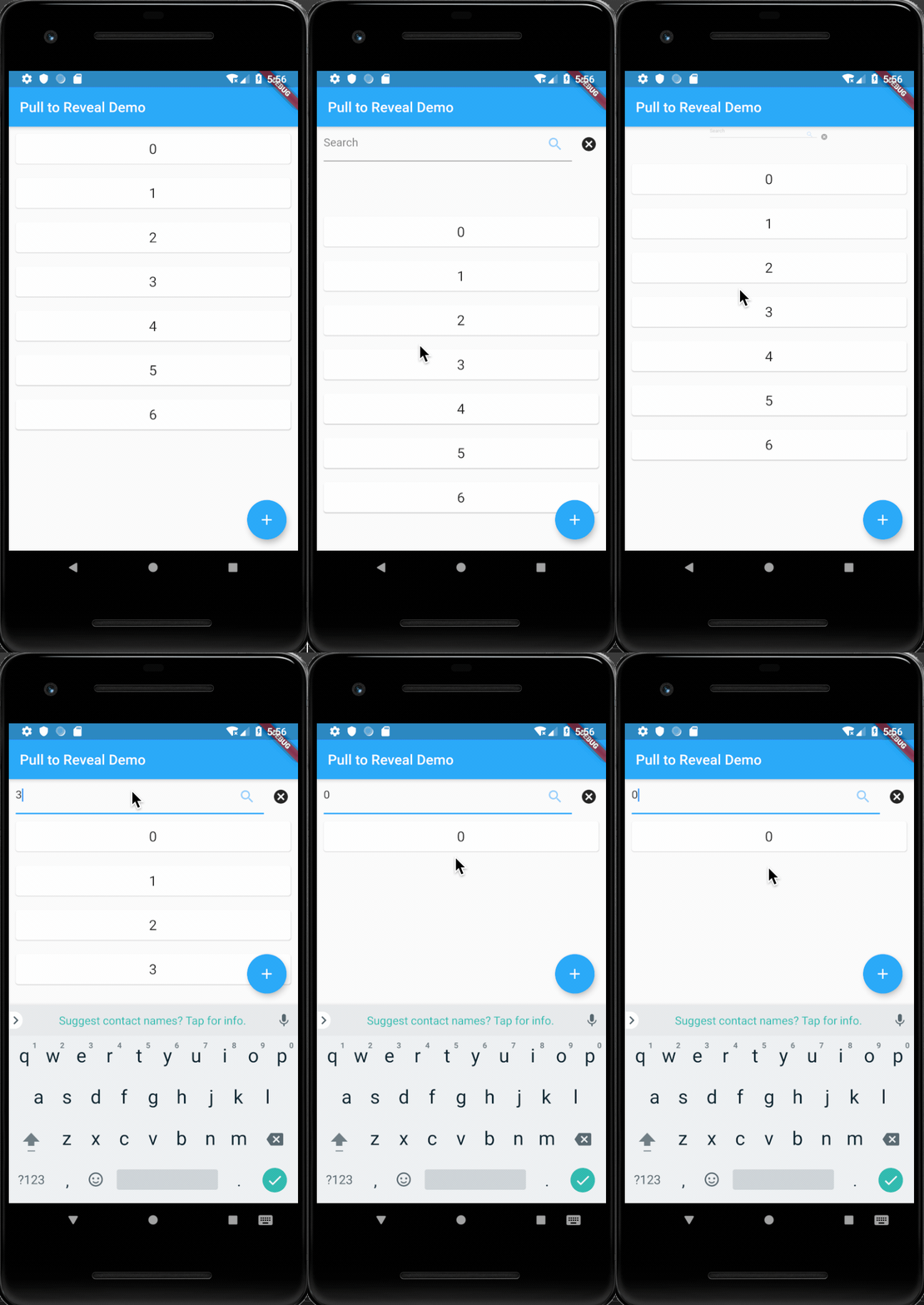
A simple Flutter widget that wraps a ListView and selectively renders a hidden top element based on user scroll behavior.

Getting Started

To use the PullToRevealListView widget in your Flutter project, you need only wrap it in a LayoutBuilder and then a Stack. These are excellent for adding a little life to a Scaffold background, or for programming a Pong client.

import 'package:pull_to_reveal/pull_to_reveal.dart';
import 'package:flutter/material.dart';

void main() => runApp(MyApp());

class MyApp extends StatelessWidget {
  // This widget is the root of your application.
  @override
  Widget build(BuildContext context) {
    return Scaffold(
      appBar: AppBar(
        title: Text(widget.title),
      ),
      body: Center(
        child: PullToRevealTopItemList(
          itemCount: _counter,
          itemBuilder: (BuildContext context, int index) {
            return ListItemElement(index: index);
          },
          revealableHeight: 50,
          revealableBuilder: (BuildContext context, RevealableToggler opener, RevealableToggler closer, BoxConstraints constraints) {
            return Row(
              children: <Widget>[
                SizedBox(width: 10),
                Flexible(
                  child: TextFormField(
                    controller: searchController,
                    decoration: InputDecoration(
                      hintText: 'Search',
                      suffixIcon: Icon(Icons.search),
                    ),
                  ),
                ),
                IconButton(
                  icon: Icon(Icons.cancel),
                  onPressed: () {
                    // Handles closing the `Revealable`
                    closer();
                    // Removes any filtering effects
                    searchController.text = '';
                    setState(() {
                      _filter = null;
                    });
                  },
                )
              ],
            );
          },
        ),
      ),
    );
  }
}
Example

Categories

Source repository

Projects using this package

No data available yet.