Search packages, repositories and app categories

reorderable_grid_view cover
Package detailsv2.2.8

reorderable_grid_view

Reorderable Grid View

AndroidiOSWebmacOSWindowsLinux
30-day downloads
58.5K
Likes
164
Pub points
120

Install package

flutter pub add reorderable_grid_view

Package Overview

Package selection guidance compiled from public package information, community data, and project usage.

A Flutter package that enables drag-and-drop reordering of items in a grid layout. It extends the functionality of GridView by allowing users to rearrange tiles intuitively through gestures. Ideal for customizable dashboards, task boards, or any UI requiring dynamic item positioning. The package supports all major platforms including mobile, web, and desktop, ensuring consistent behavior across devices. Built with performance and ease of integration in mind, it works seamlessly within existing Flutter applications.

Use cases

  • Customizable dashboard layouts
  • Task management interfaces
  • Photo gallery rearrangement
  • User preference-based item ordering
  • Interactive grid-based settings

Key features

  • Drag-and-drop reordering
  • Cross-platform compatibility
  • Simple integration with existing GridViews
  • Supports custom drag handles
  • Built-in animation for smooth transitions

Suitable for

  • Developers building interactive grid UIs
  • Apps needing user-driven content arrangement
  • Projects with dynamic layout requirements

Considerations

  • Requires careful handling of state management
  • May impact performance with very large datasets
  • Limited customization for drag feedback
  • Not optimized for extremely high-frequency updates

Original README

Original README snapshot from the linked source repository. Visit the repository for the latest content.

ReorderableGridView

Idea from official ReorderableListView

Usage:

dependencies:
  reorderable_grid_view: ^2.2.9-alpha.4

Example

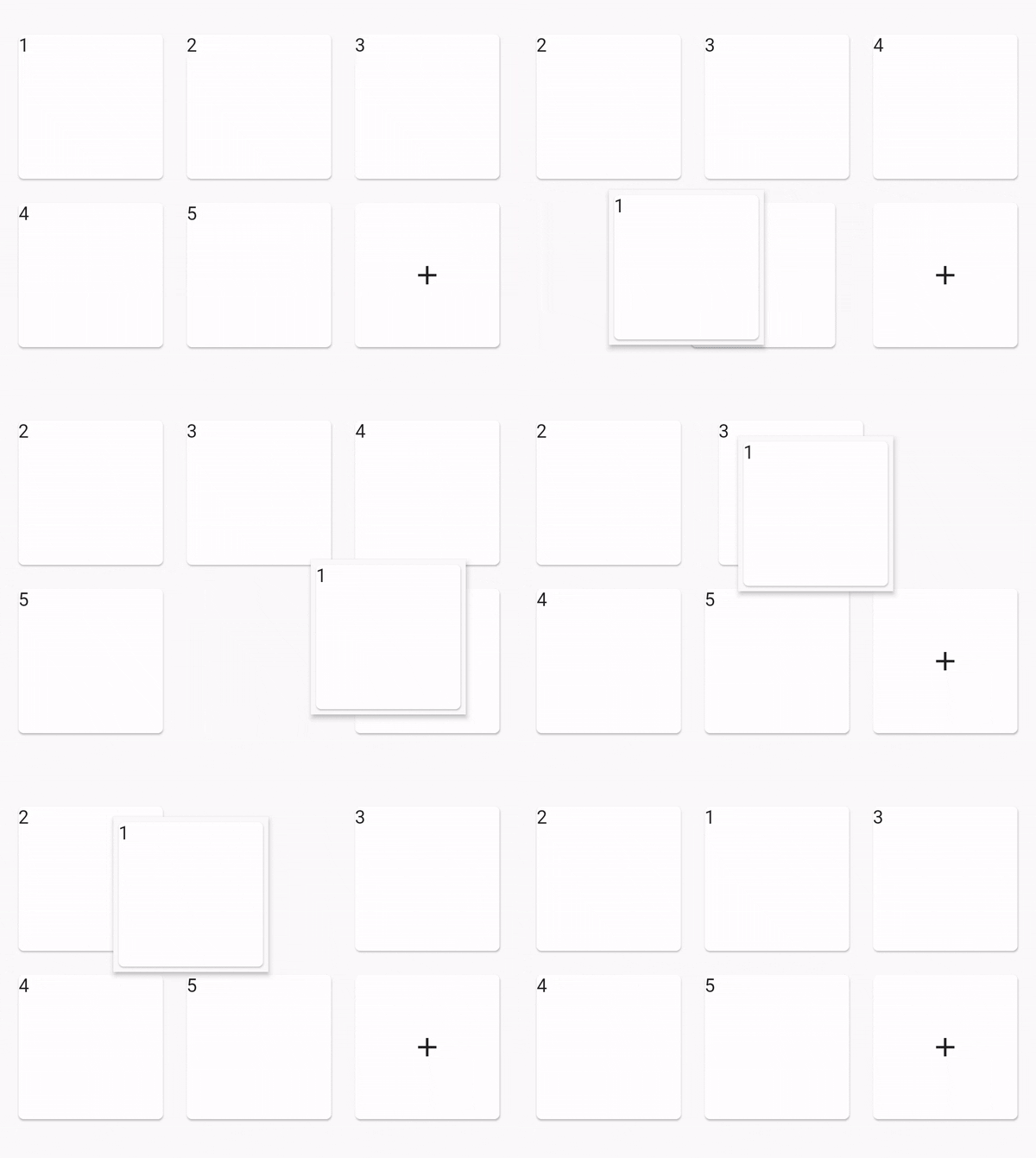
Sceenshot
class _MyHomePageState extends State<MyHomePage> {
  final data = [1, 2, 3, 4, 5];

  @override
  Widget build(BuildContext context) {
    Widget buildItem(String text) {
      return Card(
        key: ValueKey(text),
        child: Text(text),
      );
    }

    return Scaffold(
      appBar: AppBar(
        title: Text(widget.title),
      ),

      body: Center(
        // use ReorderableGridView.count() when version >= 2.0.0
        // else use ReorderableGridView()
        child: ReorderableGridView.count(
          crossAxisSpacing: 10,
          mainAxisSpacing: 10,
          crossAxisCount: 3,
          children: this.data.map((e) => buildItem("$e")).toList(),
          onReorder: (oldIndex, newIndex) {
            setState(() {
              final element = data.removeAt(oldIndex);
              data.insert(newIndex, element);
            });
          },
          footer: [
            Card(
              child: Center(
                child: Icon(Icons.add),
              ),
            ),
          ],
        ),
      ),
    );
  }
}

Options

option desc
dragWidgetBuilderV2 the drag widget builder
restrictDragScope restrict drag scope to ReorderableGridView, not drag over the scree, default is false
dragStartDelay the longPress time
scrollDirection the scroll direction, default is Axis.vertical, supports Axis.horizontal
scrollSpeedController control how speed when scroll down when drag out of viewport
OnDropIndexChange the drop position changed, void (index, oldIndex), oldIndex = nil if is drag start.

dragWidgetBuilderV2

Normaly you can do like this:

dragWidgetBuilderV2: DragWidgetBuilderV2(
	isScreenshotDragWidget: false,
	builder: (index, child, screenshot) {
		return child;
	}
)
  • child is you dragging widget.

And if you dragging widget has some state, the callback's child can't access the state. So you can do a screenshot like this.

dragWidgetBuilderV2: DragWidgetBuilderV2(
	isScreenshotDragWidget: true,
	builder: (index, child, screenshot) {
		return Image(screenshot);
	}
)

Constructors

  • ReorderableGridView.builder
  • ReorderableGridView.count
  • ReorderableSliverGridView.count

custom reorderable

You can use ReorderableWrapperWidget to custom your reorderable. Use ReorderableWrapperWidget as root. and it's descendants is ReorderableItemView[] list

  • ReorderableWrapperWidget(child: SomeCollection(children: ReorderableItemView))

Important

  • the placeholderBuilder is not right when the list is very long, is not fixable for now. please see issue 47
  • can drag out of scope in ReorderableSliverGridView, please see issue 52

TODO

fix placeholderBuilder is not right when the list is very long

Other link project

If this project is not fit your meet, you can try those other projects

Categories

Source repository

Projects using this package