Search packages, repositories and app categories

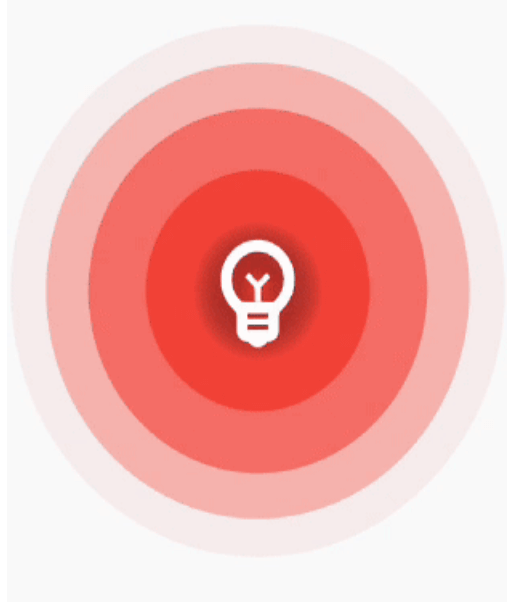
ripple_wave cover
Package detailsv0.1.5

ripple_wave

Simple and easy to use ripple animation that can be wrapped in widgets to create beautiful ripple effects

AndroidiOSWebmacOSWindowsLinux
30-day downloads
1.8K
Likes
67
Pub points
150

Install package

flutter pub add ripple_wave

Package Overview

Package selection guidance compiled from public package information, community data, and project usage.

RippleWave is a lightweight Flutter package that enables developers to easily add smooth, customizable ripple animations to any widget. It supports touch-based ripple effects with configurable colors, sizes, and durations, making it ideal for buttons, cards, or interactive elements. The package is designed for simplicity, requiring minimal setup while delivering visually appealing results across all major platforms. It integrates seamlessly into existing UIs and enhances user feedback through dynamic visual responses.

Use cases

  • Adding ripple effects to buttons
  • Enhancing touch feedback in apps
  • Creating interactive UI elements
  • Improving visual engagement in dashboards
  • Animating card taps
  • Designing modern app interfaces

Key features

  • Simple integration with widgets
  • Customizable ripple color and size
  • Smooth animation performance
  • Cross-platform support
  • Configurable duration and delay
  • Touch-based ripple triggering

Suitable for

  • UI designers seeking visual polish
  • Developers building interactive apps
  • Projects requiring subtle feedback effects
  • Mobile and web applications with touch interfaces
  • Teams prioritizing fast implementation

Considerations

  • May impact performance on low-end devices
  • Limited customization beyond basic ripple properties
  • Not suitable for complex animations
  • Requires manual handling of gesture events
  • Best used sparingly to avoid visual clutter
  • Depends on platform-specific rendering behaviors

Original README

Original README snapshot from the linked source repository. Visit the repository for the latest content.

Simple and easy to use ripple animation that can be wrapped in widgets to create beautiful ripple effects.

Features

Installing

Add ripple_wave to your pubspec.yaml file.

dependencies:
  ripple_wave:

Import ripple_wave in files that it will be used.

import 'package:ripple_wave/ripple_wave.dart';

Usage

To use this package, add ripple_wave as a dependency in your pubspec.yaml file.

Then wrap your desired widget with RippleWave widget to get the ripple animation.

Usage without repeated animation:

class MyHomePage extends StatelessWidget {
  const MyHomePage({Key? key}) : super(key: key);
  @override
  Widget build(BuildContext context) {
    return Scaffold(
      body: RippleWave(
        color: Colors.green,
        repeat: false,
        child: const Icon(
          Icons.emoji_emotions,
          size: 100,
          color: Colors.white,
        ),
      ),
    );
  }
}

Usage with tween effect on child widget of the RippleWave:

class MyHomePage extends StatelessWidget {
  const MyHomePage({Key? key}) : super(key: key);

  @override
  Widget build(BuildContext context) {
    return Scaffold(
      body: RippleWave(
        color: Colors.red,
        childTween: Tween(begin: 0.2, end: 1),
        child: const Icon(
          Icons.emoji_emotions,
          size: 100,
          color: Colors.white,
        ),
      ),
    );
  }
}

Usage with animation controller to manually start or stop the animation:

class DemoPage extends StatefulWidget {
  const DemoPage({Key? key}) : super(key: key);

  @override
  State<DemoPage> createState() => _DemoPageState();
}

late AnimationController animationController;

void start() {
  animationController.repeat();
}

void stop() {
  animationController.stop();
}

class _DemoPageState extends State<DemoPage>
    with SingleTickerProviderStateMixin {
  @override
  void initState() {
    animationController = AnimationController(
      duration: const Duration(seconds: 3),
      vsync: this,
    );
    super.initState();
  }

  @override
  Widget build(BuildContext context) {
    return Scaffold(
      appBar: AppBar(
        title: const Text("Ripple Demo"),
      ),
      body: Column(
        mainAxisAlignment: MainAxisAlignment.center,
        children: [
          RippleWave(
            childTween: Tween(begin: 0.1, end: 1.0),
            color: Colors.deepPurpleAccent,
            repeat: false,
            animationController: animationController,
            child: const Icon(
              Icons.emoji_emotions,
              size: 100,
              color: Colors.white,
            ),
          ),
          const SizedBox(
            height: 200,
          ),
          TextButton(
            onPressed: () {
              start();
            },
            child: const Text(
              'Start animation',
            ),
          ),
          const SizedBox(
            height: 40,
          ),
          TextButton(
            onPressed: () {
              stop();
            },
            child: const Text(
              'Stop animation',
            ),
          ),
        ],
      ),
    );
  }
}

Categories

Source repository

Projects using this package

No data available yet.