Search packages, repositories and app categories

section_view cover
Package detailsv2.0.6

section_view

Provide section list view which include alphabet and refresh, you can fully custom your control

AndroidiOSWebmacOSWindowsLinux
30-day downloads
1.9K
Likes
34
Pub points
140

Install package

flutter pub add section_view

Package Overview

Package selection guidance compiled from public package information, community data, and project usage.

SectionView is a Flutter package that enables the creation of sectioned list views with alphabetical indexing and pull-to-refresh functionality. It allows full customization of the section headers and control over the scrolling behavior, making it ideal for contact lists, catalogs, or any data sorted alphabetically. The package supports all major platforms including Android, iOS, Web, macOS, Windows, and Linux. Developers can tailor the UI and interaction to match their app's design language.

Use cases

  • Contact list with alphabet index
  • Product catalog with grouped items
  • Customizable scrollable sections
  • Data display with refresh capability
  • Alphabetical navigation in lists

Key features

  • Alphabetical section headers
  • Pull-to-refresh support
  • Fully customizable UI
  • Cross-platform compatibility
  • Smooth scrolling between sections
  • Configurable header styling

Suitable for

  • Apps needing alphabetical sorting
  • Developers wanting custom section controls
  • Projects requiring refreshable lists
  • UI-heavy applications with grouped data
  • Cross-platform mobile and web apps

Considerations

  • Requires manual handling of data grouping
  • Customization may increase complexity
  • Performance depends on list size
  • Limited built-in animations
  • Not optimized for very large datasets
  • Needs careful state management

Original README

Original README snapshot from the linked source repository. Visit the repository for the latest content.

Notice: 2.0.0 has break changing

  • The header sticky will use flutter_list_view to implement
  • Refresh control will construct by user, like pull_to_refresh
SectionView<AlphabetHeader<CountryModel>, CountryModel>(
  source: _filterCountries,
  onFetchListData: (header) => header.items,
  enableSticky: true,
  alphabetAlign: Alignment.center,
  alphabetInset: const EdgeInsets.all(4.0),
  headerBuilder: getDefaultHeaderBuilder((d) => d.alphabet),
  alphabetBuilder: getDefaultAlphabetBuilder((d) => d.alphabet),
  tipBuilder: getDefaultTipBuilder((d) => d.alphabet),
  refreshBuilder: (child) {
    return SmartRefresher(
        enablePullDown: true,
        enablePullUp: false,
        header: const WaterDropHeader(),
        controller: _refreshController,
        onRefresh: _onRefresh,
        child: child);
  },
  itemBuilder:
      (context, itemData, itemIndex, headerData, headerIndex) {
    return Padding(
      padding: const EdgeInsets.only(right: 12.0),
      child: ListTile(
          title: Text(itemData.name),
          trailing: Text(itemData.phoneCode)),
    );
  },
),

Features

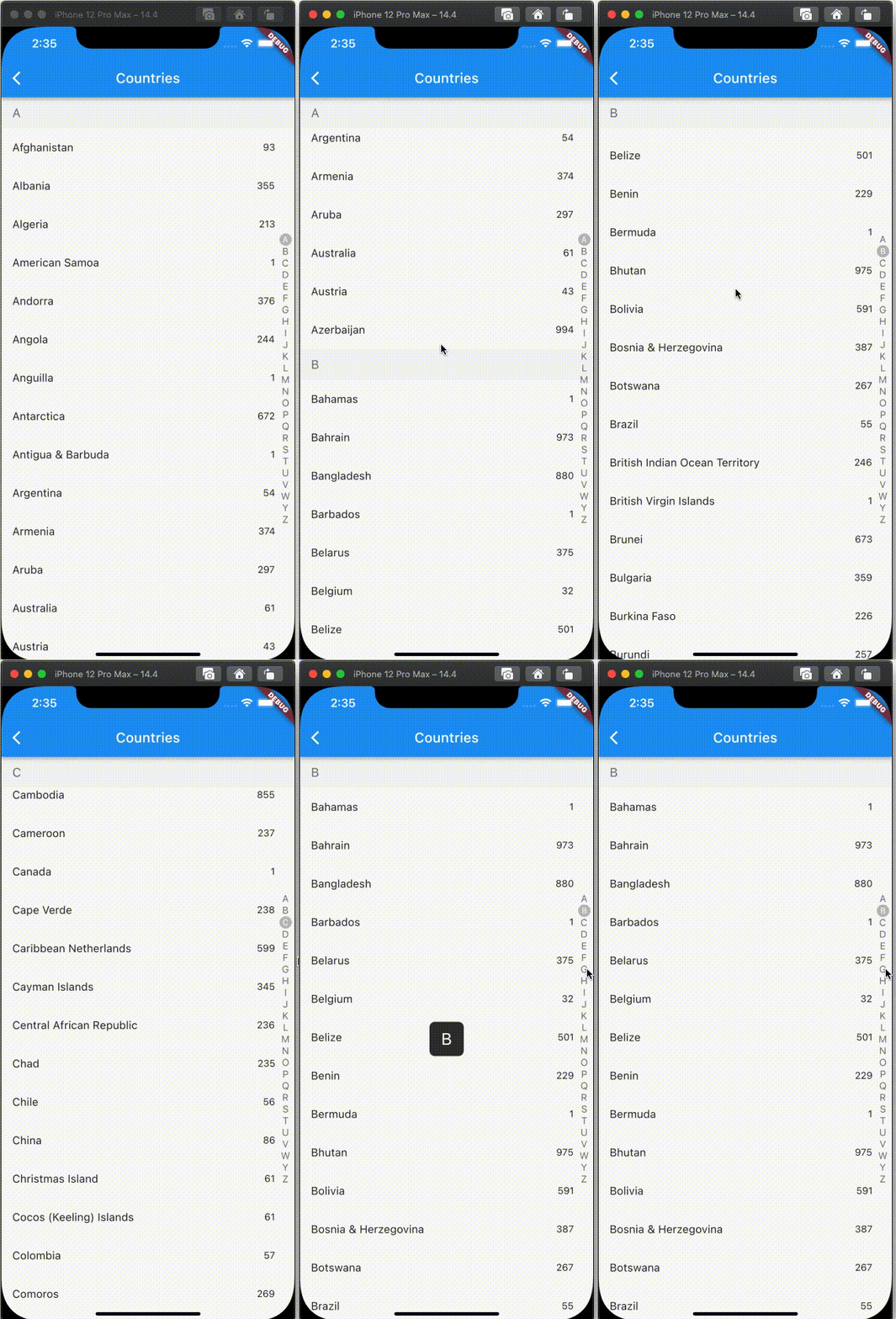
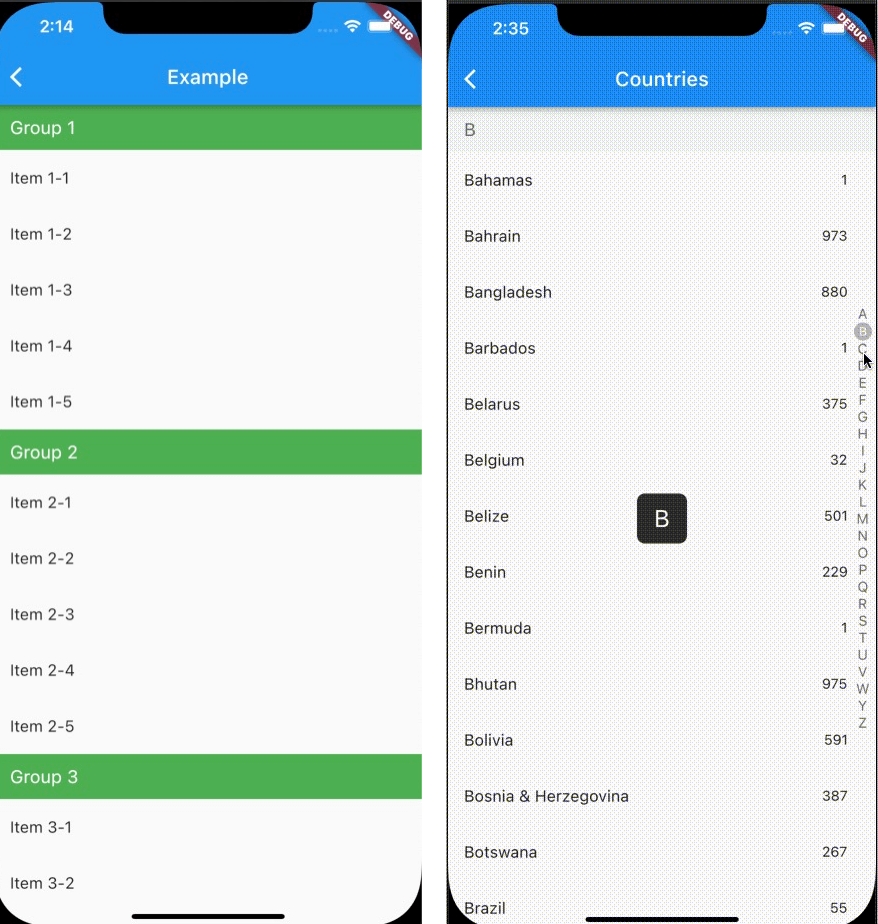
  1. Show with section view
  2. Alphabet support
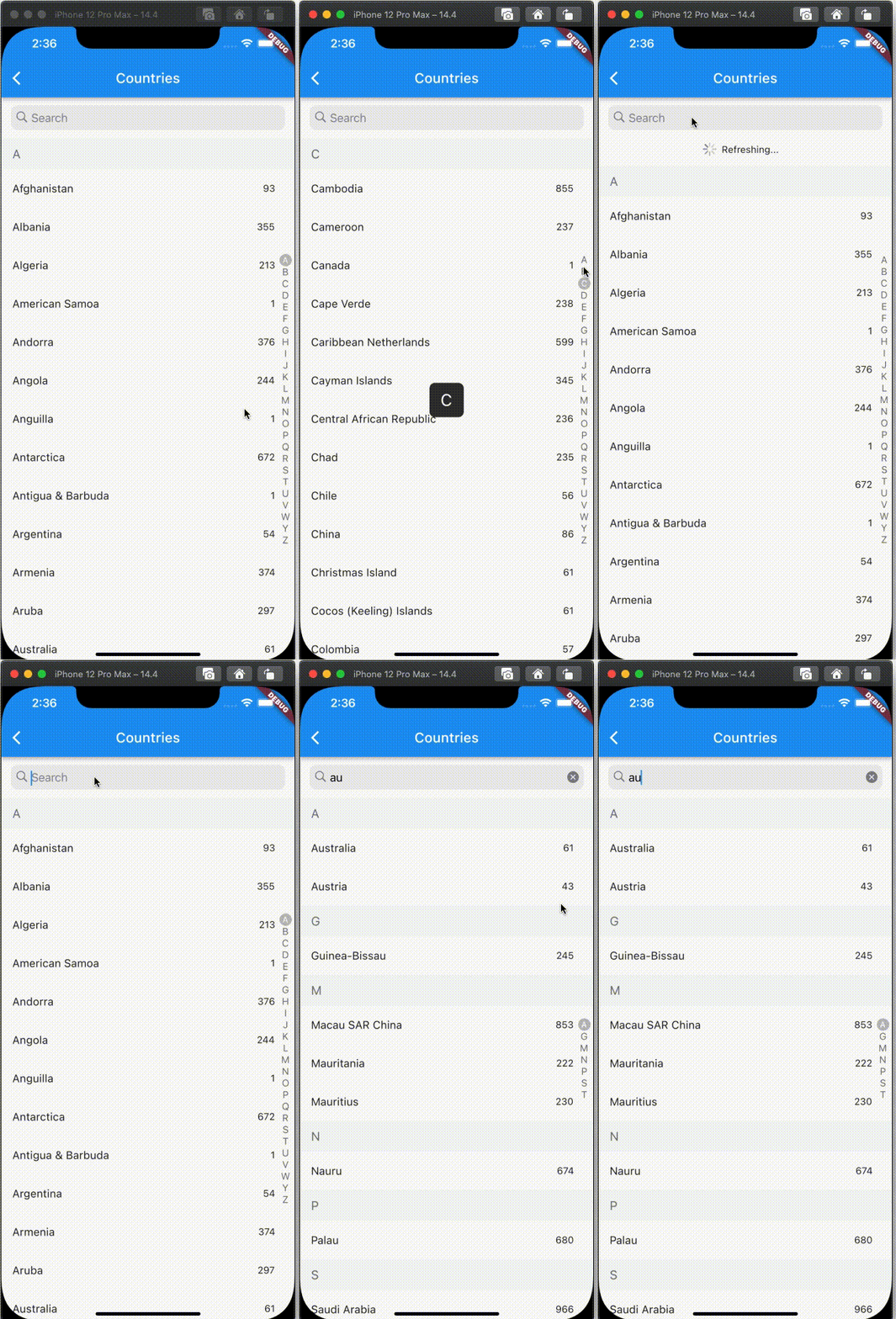
  3. Refresh support

Screen

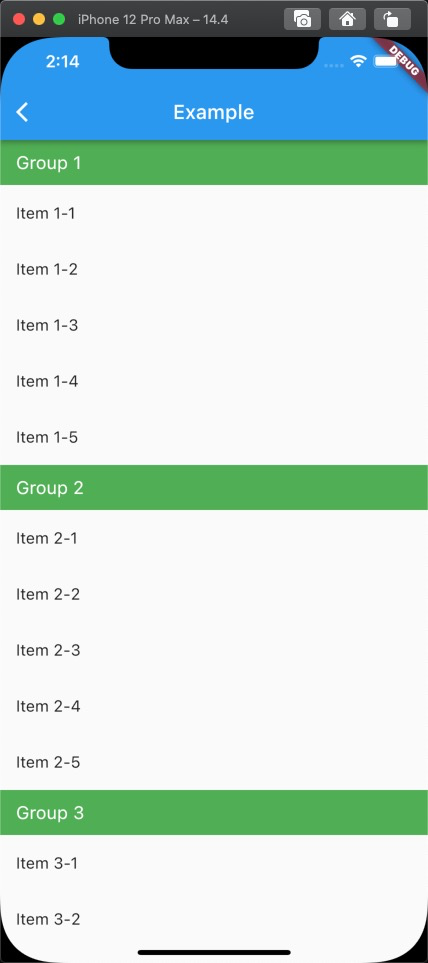
Usage

Firstly, you can construct data like

List<GroupModel> data = [
    GroupModel(name: "Group 1", items: [
      ItemModel(name: "Item 1-1"),
      ItemModel(name: "Item 1-2"),
      ItemModel(name: "Item 1-3"),
      ItemModel(name: "Item 1-4"),
      ItemModel(name: "Item 1-5"),
    ]),
    GroupModel(name: "Group 2", items: [
      ItemModel(name: "Item 2-1"),
      ItemModel(name: "Item 2-2"),
      ItemModel(name: "Item 2-3"),
      ItemModel(name: "Item 2-4"),
      ItemModel(name: "Item 2-5"),
    ]),
    GroupModel(name: "Group 3", items: [
      ItemModel(name: "Item 3-1"),
      ItemModel(name: "Item 3-2"),
      ItemModel(name: "Item 3-3"),
      ItemModel(name: "Item 3-4"),
      ItemModel(name: "Item 3-5"),
    ]),
  ];

After that, you can put code into you project like as below

SectionView<GroupModel, ItemModel>(
  source: data,
  onFetchListData: (header) => header.items,
  headerBuilder: getDefaultHeaderBuilder((d) => d.name,
      bkColor: Colors.green,
      style:
          const TextStyle(fontSize: 18, color: Colors.white)),
  itemBuilder:
      (context, itemData, itemIndex, headerData, headerIndex) =>
          ListTile(
            title: Text(itemData.name),
          )),

Additional information

If you want to custom your UI, please follow /example/lib/fullSectionList.dart

Todo

  • Provide tailer load more functionality
  • Provide programaticly invoke onRefresh.

Categories

Dependencies

Dependency list 1 items

Source repository

Projects using this package

No data available yet.