Search packages, repositories and app categories

Package detailsv0.0.2

slide_popup_dialog

Popup dialog with slide mechanism. Use it like AlertDialog or SimpleDialog.

30-day downloads
41
Likes
108
Pub points
40

Install package

flutter pub add slide_popup_dialog

Package Overview

Package selection guidance compiled from public package information, community data, and project usage.

A Flutter package that provides a popup dialog with a slide-in animation, offering a smooth and interactive user experience. It mimics the behavior of standard dialogs like AlertDialog or SimpleDialog but adds a sliding transition for enhanced visual feedback. Ideal for lightweight, animated popups that appear from the edge of the screen, it supports customization while maintaining simplicity and ease of integration. The package is designed to be intuitive and compatible with existing Flutter dialog patterns.

Use cases

  • Interactive onboarding tips
  • Quick action prompts
  • Modal alerts with animation
  • User confirmation dialogs
  • Form validation feedback

Key features

  • Slide-in animation effect
  • Simple API similar to AlertDialog
  • Customizable appearance
  • Lightweight and fast
  • Works with standard Flutter widgets

Suitable for

  • Developers seeking animated dialogs
  • Apps with modern UI design
  • Mobile apps needing subtle transitions
  • Prototyping interactive elements
  • Projects using standard dialog patterns

Considerations

  • Limited platform-specific behaviors
  • No built-in support for complex layouts
  • May require additional styling for dark mode
  • Not optimized for large content
  • Animation may affect performance on low-end devices
Original README

Original README snapshot from the linked source repository. Visit the repository for the latest content.

slide_popup_dialog

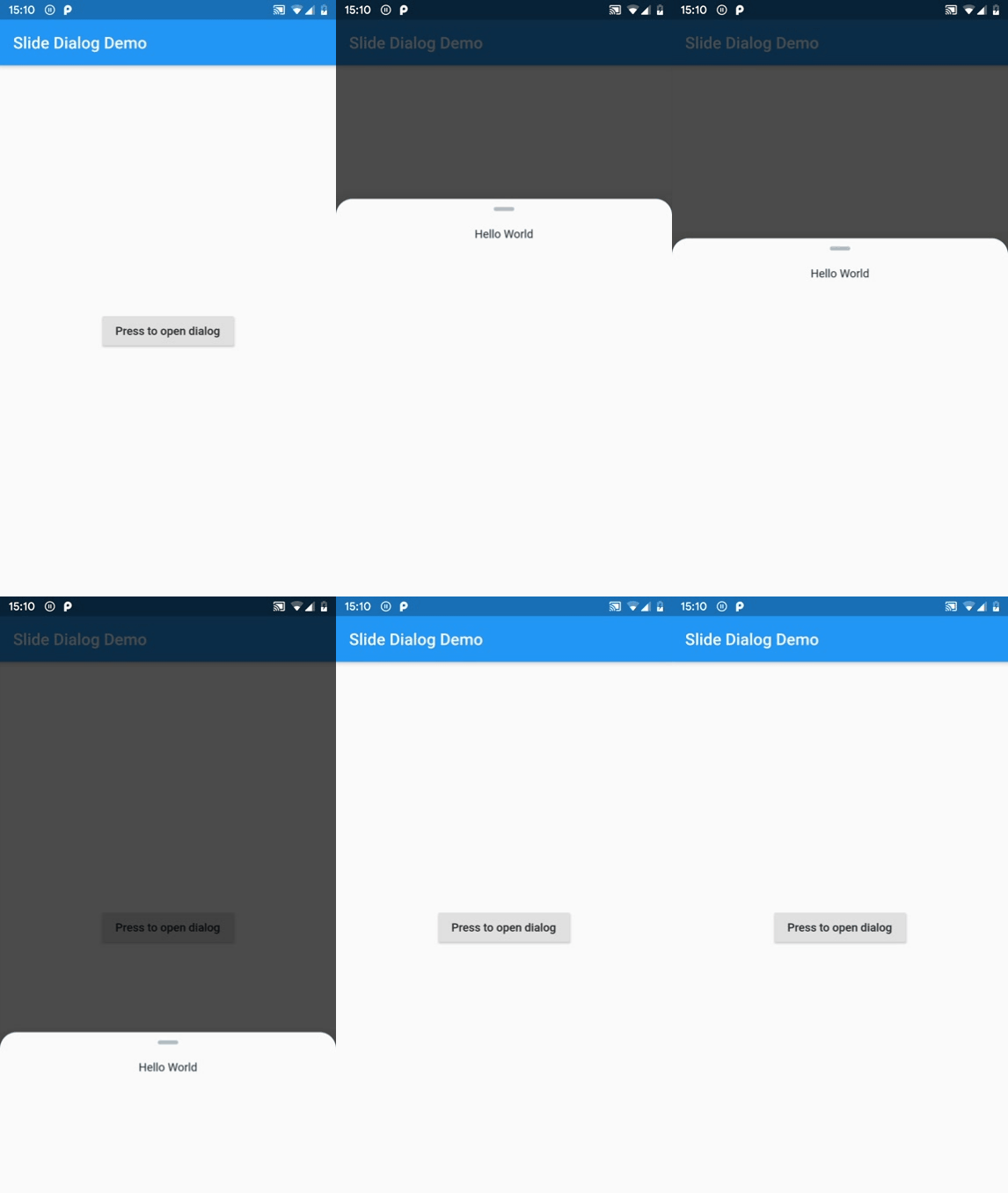
Popup dialog with slide mechanism. Use it like AlertDialog or SimpleDialog.

Gif Example

How to use

  1. Add slide_popup_dialog to your package's pubspec.yaml, then intall it.

  2. Import package.

import 'package:slide_popup_dialog/slide_popup_dialog.dart' as slideDialog;
  1. Add this method to your State Widget.
void _showDialog() {
  slideDialog.showSlideDialog(
    context: context,
    child: Text("Hello World"),
  );
}

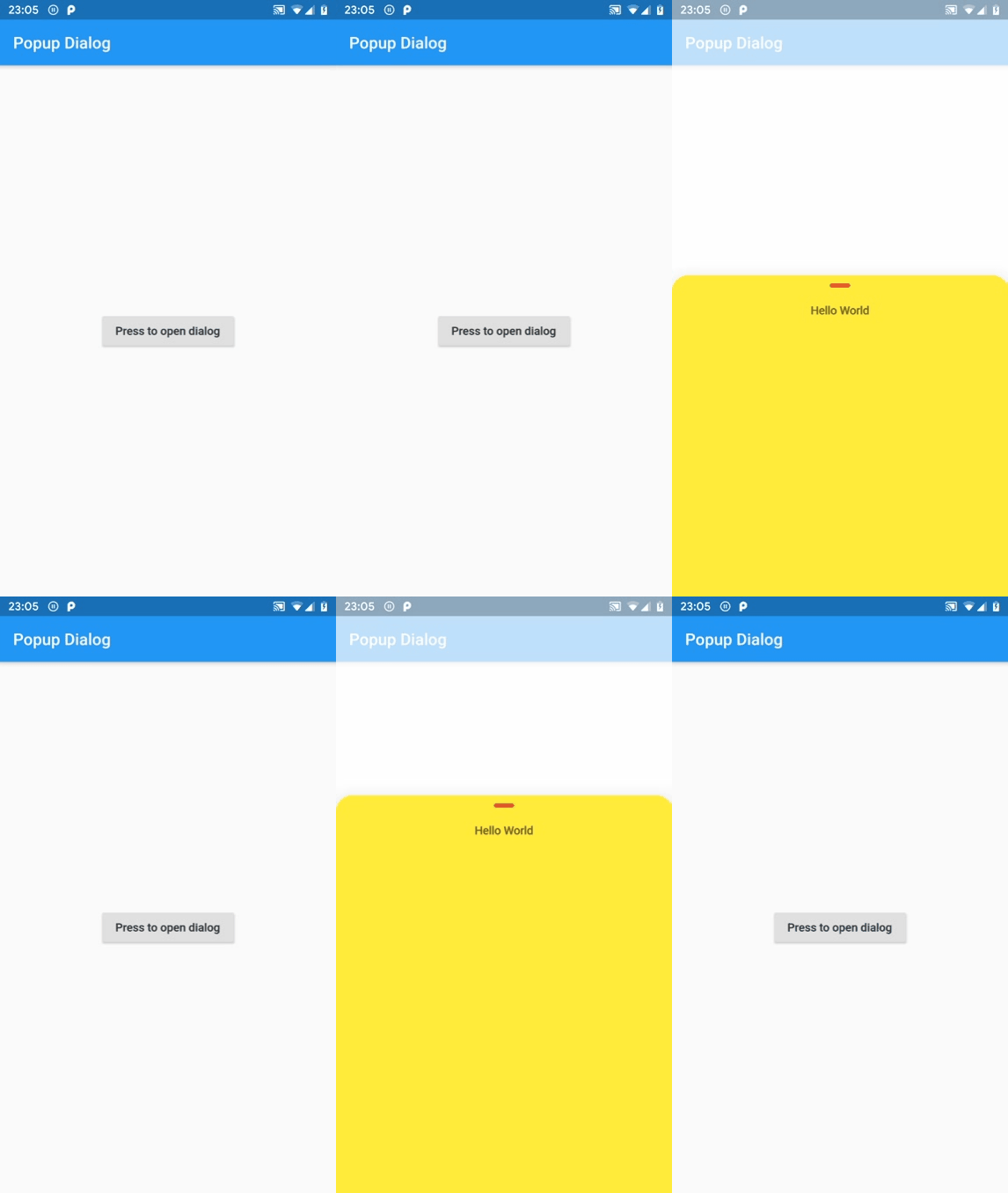
Code Example

class MyHomePage extends StatefulWidget {
  final String title;

  const MyHomePage({Key key, this.title}) : super(key: key);

  @override
  _MyHomePageState createState() => _MyHomePageState();
}

class _MyHomePageState extends State<MyHomePage> {
  @override
  Widget build(BuildContext context) {
    return Scaffold(
      appBar: AppBar(
        title: Text(widget.title),
      ),
      body: Center(
        child: RaisedButton(
          child: Text("Press to open dialog"),
          onPressed: _showDialog,
        ),
      ),
    );
  }

  void _showDialog() {
    slideDialog.showSlideDialog(
      context: context,
      child: Text("Hello World"),
      barrierColor: Colors.white.withOpacity(0.7),
      pillColor: Colors.red,
      backgroundColor: Colors.yellow,
    );
  }
}

Gif Example

Categories

Source repository

Projects using this package

No data available yet.