Search packages, repositories and app categories

Package detailsv1.0.1

system_fonts

A Flutter package to load system fonts on Windows, MacOS, and Linux platforms.

AndroidiOSmacOSWindowsLinux
30-day downloads
3.1K
Likes
29
Pub points
150

Install package

flutter pub add system_fonts

Package Overview

Package selection guidance compiled from public package information, community data, and project usage.

The system_fonts package enables Flutter applications to access and use system-installed fonts on Windows, macOS, and Linux. It allows developers to dynamically load fonts that are already available on the user's operating system, ensuring consistent typography across platforms without bundling font files. This is particularly useful for apps that require native-like text rendering or want to leverage platform-specific typefaces. The package supports cross-platform development with minimal configuration.

Use cases

  • Loading system fonts on desktop platforms
  • Creating apps with native typography
  • Avoiding font file bundling
  • Enhancing text rendering consistency
  • Supporting dynamic font selection

Key features

  • Cross-platform support (Windows, macOS, Linux)
  • Automatic detection of system fonts
  • Minimal setup required
  • No need to include font assets
  • Integration with Flutter's TextStyle

Suitable for

  • Desktop app developers
  • Apps requiring native font rendering
  • Projects minimizing asset size
  • Developers targeting multiple operating systems
  • Applications focused on typography accuracy

Considerations

  • Limited to system-installed fonts
  • Not available on Android or iOS
  • Font availability depends on the host OS
  • May not work with custom or non-standard fonts
  • Requires platform-specific testing

Original README

Original README snapshot from the linked source repository. Visit the repository for the latest content.

system_fonts

A Flutter package that allows users to easily load system fonts on Windows, MacOS, and Linux platforms.

Features

  • Load system fonts dynamically in Flutter applications.
  • Support for Windows, MacOS, and Linux platforms.
  • Supports ttf and otf font formats.
  • Simple API for loading and using system fonts in your Flutter project.

Installation

  1. Add the following line to your pubspec.yaml file in the dependencies section:
dependencies:
    system_fonts: ^VERSION

Usage

Font family names are the font file name in the system without extensions. For example to change font family of Text widget to arial(arial.ttf), use loadFont(String fontName) method with parameter arial, this function will load arial.ttf file in the system and return font family name.

class Example extends StatefulWidget {
  const Example({super.key});

  @override
  State<Example> createState() => _ExampleState();
}

class _ExampleState extends State<Example> {
  String fontFamily = '';

  @override
  void initState() {
    super.initState();
    SystemFonts().loadFont('arial').then((value) {
      setState(() {
        fontFamily = value.toString();
      });
    });
  }

  @override
  Widget build(BuildContext context) {
    return Text('this text will use arial font', style: TextStyle(fontFamily: fontFamily));
  }
}

You can load all the fonts on the system with loadAllFonts() method which returns all the available font family names and then you can use any font in any widget.

You can specify a font folder to load every font inside it and then use them in flutter with addAdditionalFontDirectory(String path) method.

You can add any font from full path with loadFontFromPath(String path) method.

You can list all available font family names to use with getFontList() method.

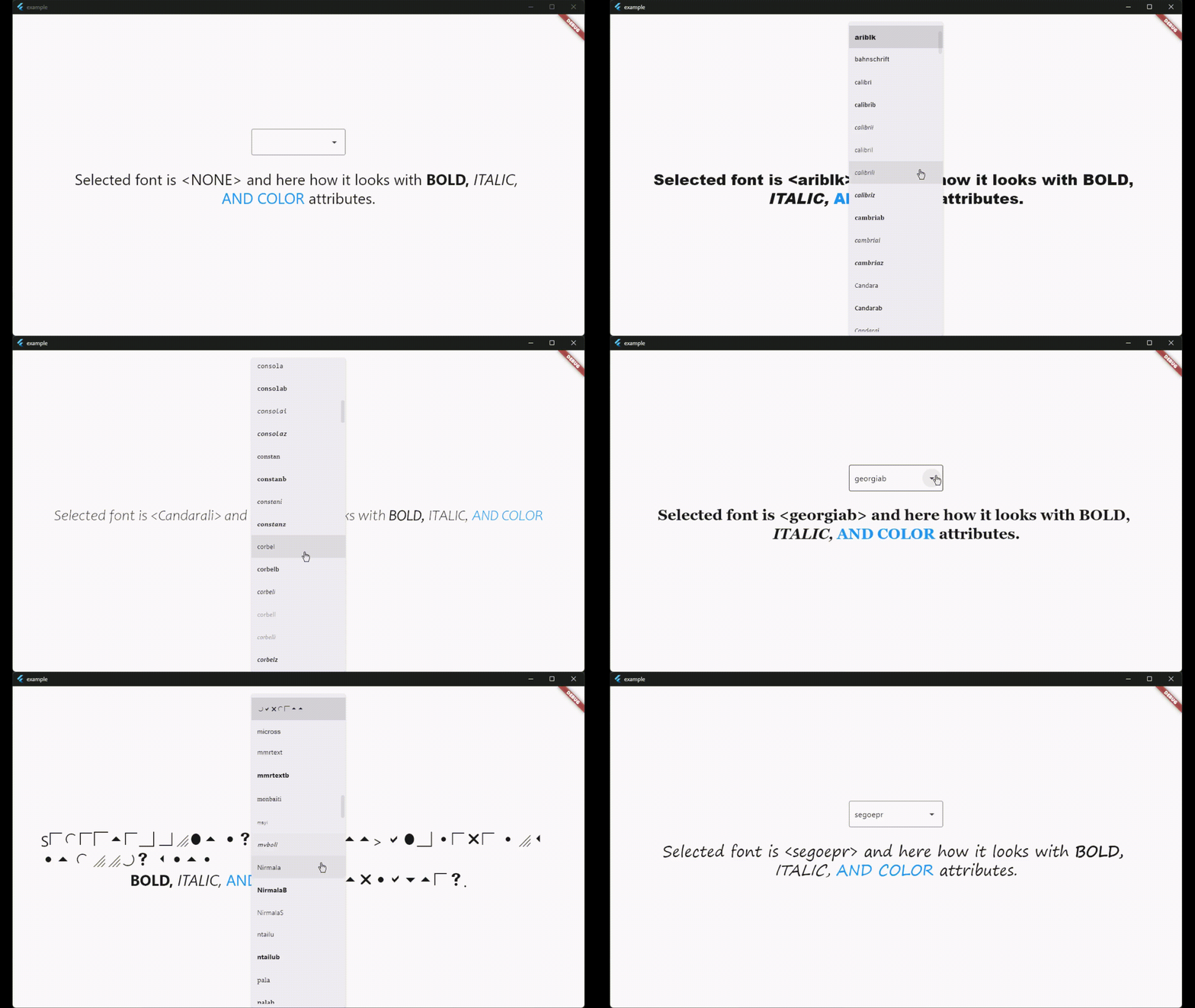
There is also a widget called SystemFontSelector() for list and select fonts and example app shows how to use it.

License

This package is licensed under the MIT License. See the LICENSE file for details.

Categories

Dependencies

Dependency list 1 items

Source repository

Projects using this package