Search packages, repositories and app categories

time_chart cover
Package detailsv0.5.5

time_chart

A scrollable time chart in Flutter. Currently supporting en, ko languages.

30-day downloads
141
Likes
76
Pub points
50

Install package

flutter pub add time_chart

Package Overview

Package selection guidance compiled from public package information, community data, and project usage.

time_chart is a Flutter package that provides a scrollable time chart for visualizing temporal data. It supports multiple languages, currently English and Korean, making it accessible to a broader audience. Designed for smooth scrolling and responsive rendering, it enables developers to display time-series data with ease. The package integrates seamlessly into Flutter applications and is ideal for dashboards, analytics interfaces, or any app requiring timeline visualization. Its lightweight nature ensures efficient performance even with large datasets.

Use cases

  • Displaying time-series data in dashboards
  • Visualizing user activity over time
  • Tracking metrics in real-time applications
  • Creating interactive timelines
  • Monitoring system performance logs

Key features

  • Scrollable interface for time data
  • Support for English and Korean localization
  • Lightweight and performant rendering
  • Easy integration with Flutter apps
  • Responsive design for various screen sizes

Suitable for

  • Data visualization in mobile apps
  • Analytics dashboards
  • Time-based monitoring tools
  • Multilingual applications
  • Developers seeking simple time charts

Considerations

  • Limited to horizontal scrolling only
  • No built-in support for other languages beyond en and ko
  • Requires manual handling of data updates
  • Not optimized for extremely large datasets
  • No built-in tooltips or annotations
Original README

Original README snapshot from the linked source repository. Visit the repository for the latest content.

time_chart

pub package

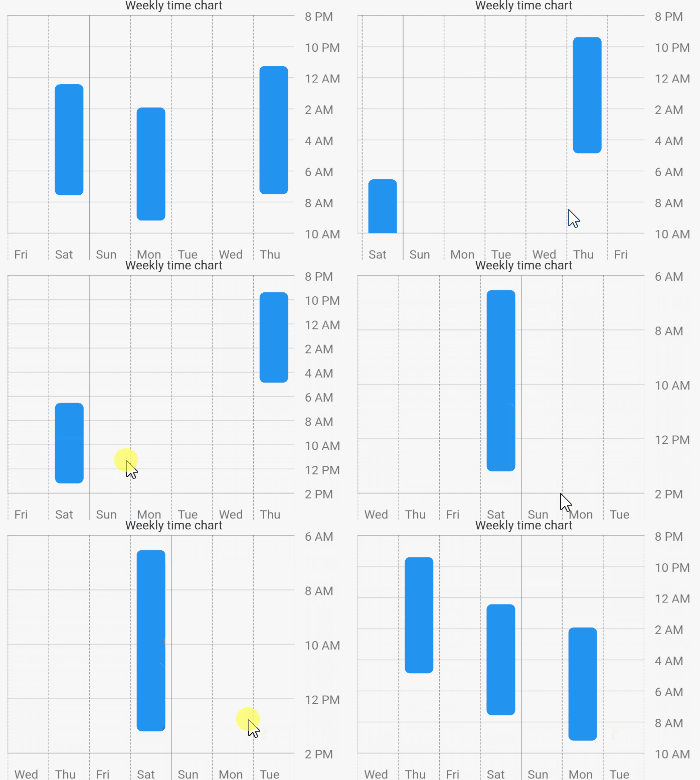
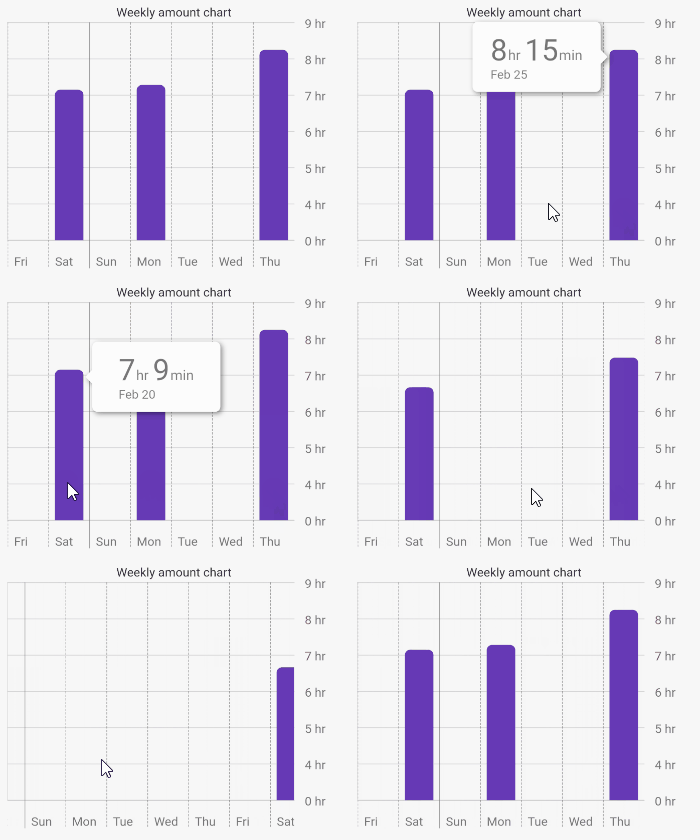
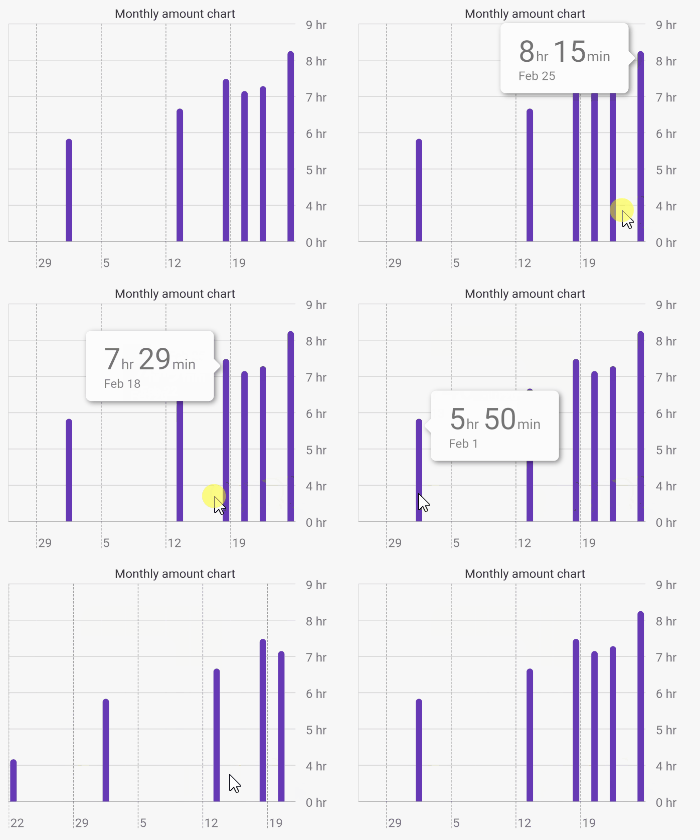
An amazing time chart in Flutter.

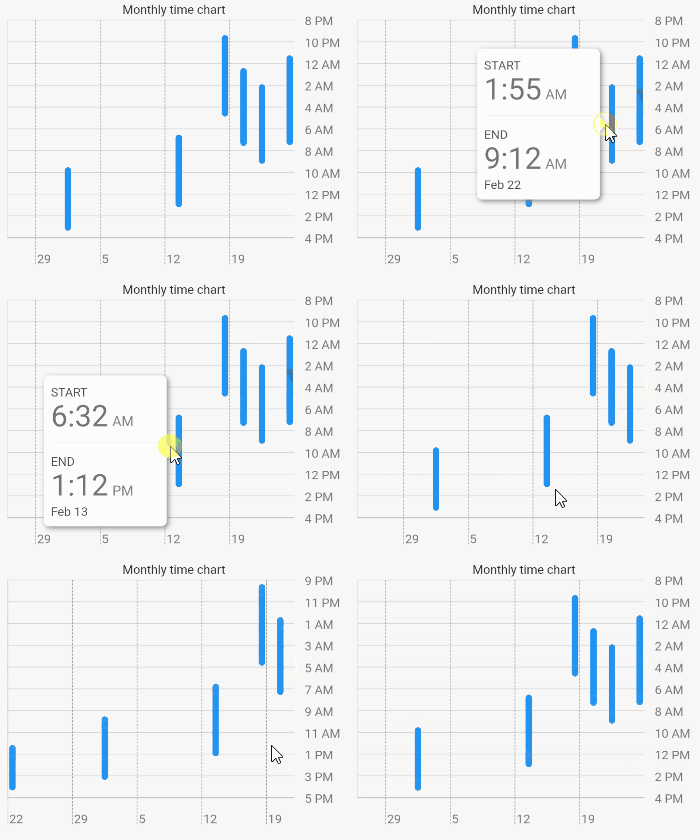
How the animation works?

The animation is created by determining the top hour and the bottom hour. The top hour denotes the most top hour displayed at the current scroll position, while the bottom hour represents its opposite. When scrolling occurs, the animation is triggered by comparing the previous top hour and bottom hour with the top hour and bottom hour after scrolling.

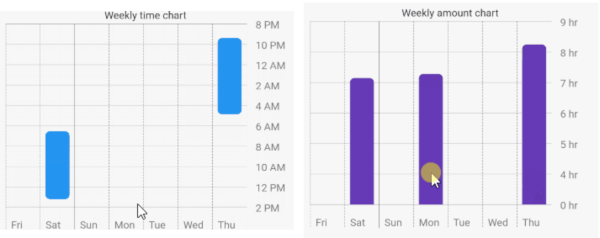
Chart Types
TimeChart AmountChart

Getting Started

1 - Depend on it

Add it to your package's pubspec.yaml file

dependencies:
  time_chart: ^0.5.4
2 - Install it

Install packages from the command line

flutter packages get
3 - Usage

Just input your DateTimeRange list to data: argument. The list must be sorted. First data is latest, last data is oldest.

Example

import 'package:flutter/material.dart';
import 'package:time_chart/time_chart.dart';

void main() => runApp(MyApp());

class MyApp extends StatelessWidget {

  // Data must be sorted.
  final data = [
    DateTimeRange(
      start: DateTime(2021,2,24,23,15),
      end: DateTime(2021,2,25,7,30),
    ),
    DateTimeRange(
      start: DateTime(2021,2,22,1,55),
      end: DateTime(2021,2,22,9,12),
    ),
    DateTimeRange(
      start: DateTime(2021,2,20,0,25),
      end: DateTime(2021,2,20,7,34),
    ),
    DateTimeRange(
      start: DateTime(2021,2,17,21,23),
      end: DateTime(2021,2,18,4,52),
    ),
    DateTimeRange(
      start: DateTime(2021,2,13,6,32),
      end: DateTime(2021,2,13,13,12),
    ),
    DateTimeRange(
      start: DateTime(2021,2,1,9,32),
      end: DateTime(2021,2,1,15,22),
    ),
    DateTimeRange(
      start: DateTime(2021,1,22,12,10),
      end: DateTime(2021,1,22,16,20),
    ),
  ];

  @override
  Widget build(BuildContext context) {
    final sizedBox = const SizedBox(height: 16);

    return MaterialApp(
      home: Scaffold(
        appBar: AppBar(title: const Text('Time chart example app')),
        body: SingleChildScrollView(
          child: Padding(
            padding: const EdgeInsets.all(16.0),
            child: Column(
              children: [
                const Text('Weekly time chart'),
                TimeChart(
                  data: data,
                  viewMode: ViewMode.weekly,
                ),
                sizedBox,
                const Text('Monthly time chart'),
                TimeChart(
                  data: data,
                  viewMode: ViewMode.monthly,
                ),
                sizedBox,
                const Text('Weekly amount chart'),
                TimeChart(
                  data: data,
                  chartType: ChartType.amount,
                  viewMode: ViewMode.weekly,
                  barColor: Colors.deepPurple,
                ),
                sizedBox,
                const Text('Monthly amount chart'),
                TimeChart(
                  data: data,
                  chartType: ChartType.amount,
                  viewMode: ViewMode.monthly,
                  barColor: Colors.deepPurple,
                ),
              ],
            ),
          ),
        ),
      ),
    );
  }
}

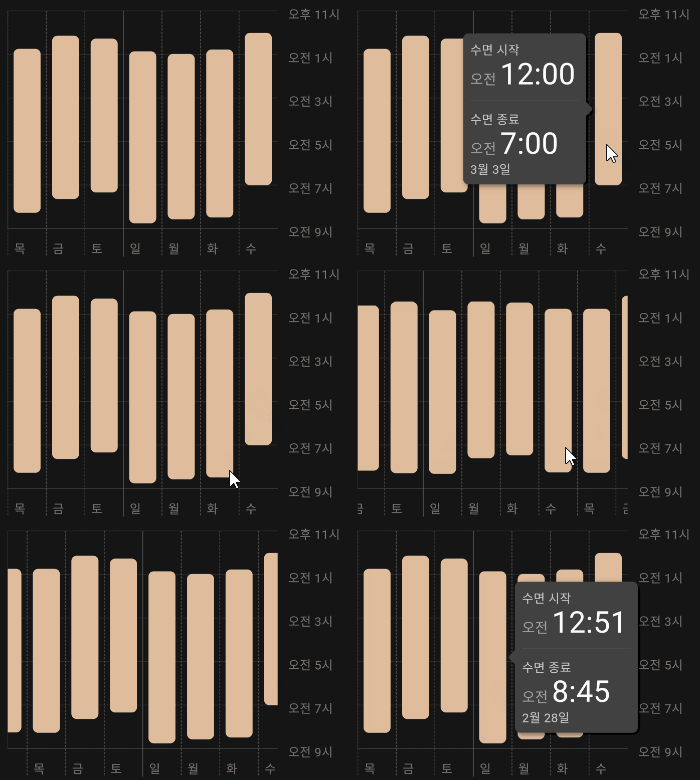
Supported languages

English Korean

You can also use korean language by Internationalizing Flutter apps.

Categories

Dependencies

Dependency list 4 items

Source repository

Projects using this package

No data available yet.