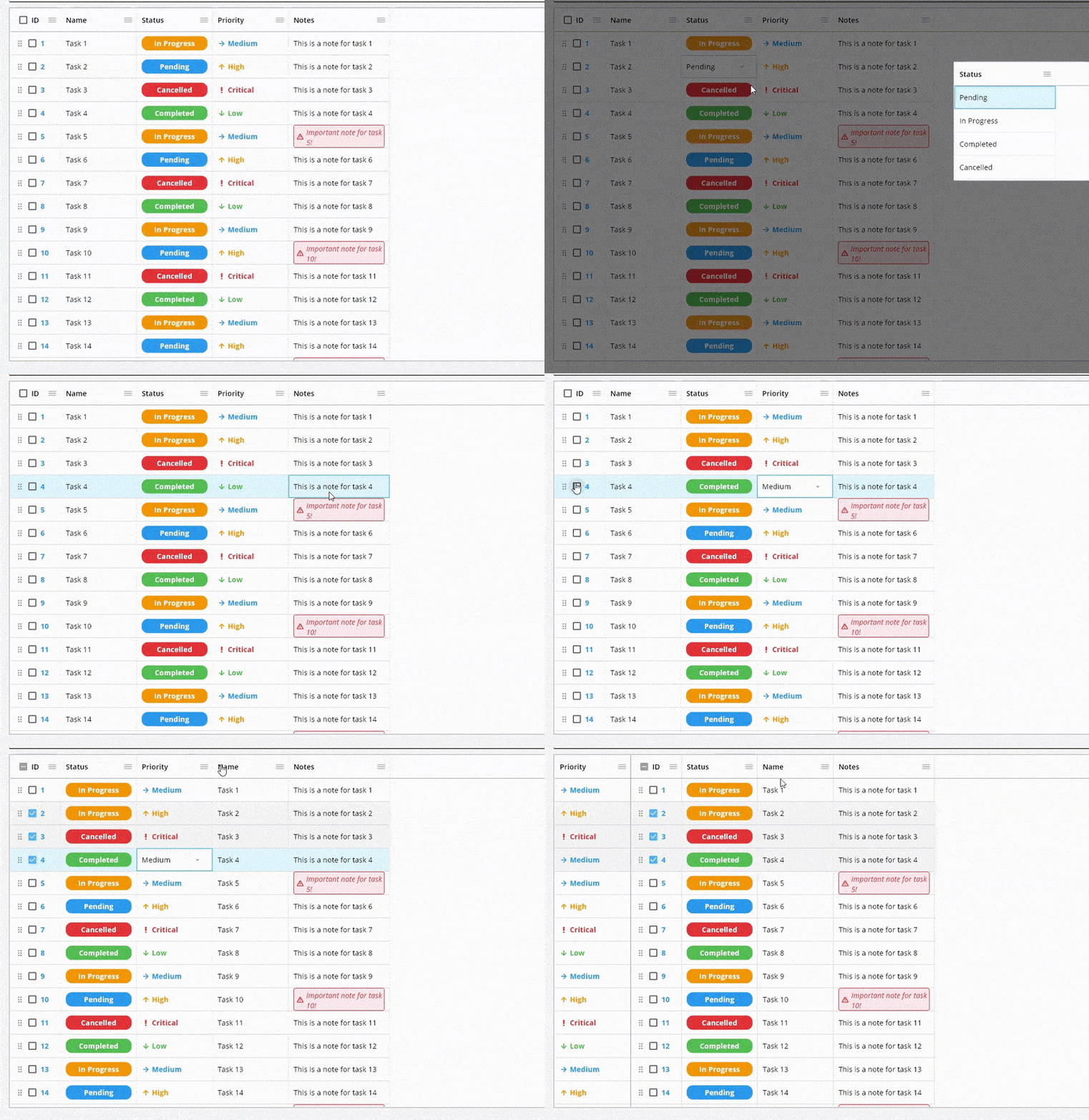
A data grid that can be controlled by the keyboard on desktop and web. Of course, it works well on Android and IOS. (DataGrid, DataTable, Data Grid, Data Table, Sticky)
Package selection guidance compiled from public package information, community data, and project usage.
TrinaGrid is a customizable data grid component for Flutter that supports keyboard navigation on desktop and web platforms, while also functioning seamlessly on mobile devices like Android and iOS. It offers a responsive and accessible table experience with features such as sticky headers and columns. Designed for developers seeking a robust, cross-platform data display solution, TrinaGrid enhances usability through intuitive keyboard controls and smooth interactions across all supported platforms.
Use cases
Displaying structured data in apps
Creating accessible tables for desktop users
Building admin dashboards
Implementing sticky headers/columns
Supporting keyboard navigation in web apps
Key features
Keyboard navigation support
Sticky headers and columns
Cross-platform compatibility
Responsive design
Customizable styling
Accessible UI components
Suitable for
Desktop and web applications
Mobile-first data displays
Developers prioritizing accessibility
Admin panels and data-heavy interfaces
Apps requiring keyboard-driven table interaction
Considerations
Requires careful handling of large datasets
May need additional styling for complex layouts
Limited documentation compared to built-in widgets
Performance tuning needed for very large grids
Not optimized for touch-only environments without adjustments
Original README
Original README snapshot from the linked source repository. Visit the repository for the latest content.
⭐ Please star this repository to support the project! ⭐
TrinaGrid is a powerful data grid for Flutter that provides a wide range of features for displaying, editing, and managing tabular data. It works seamlessly on all platforms including web, desktop, and mobile.
TrinaGrid is a maintained and enhanced version of the original PlutoGrid package.
I'm Feras, the current maintainer, and I'm actively working on adding new features and keeping this great package rich and up-to-date.
I continued the development after the original package PlutoGrid was no longer being maintained.
If you find TrinaGrid useful, please consider supporting its development:
Your support will encourage me to dedicate more time to keeping this useful package updated and well-documented.
🚀 Migration from PlutoGrid
Automatic migration tool included!
If you're migrating from PlutoGrid, we've included a migration tool to help you automatically update your codebase:
# First, add trina_grid to your pubspec.yaml and run flutter pub get# Run the migration tool (dry run first to see changes)
flutter pub run trina_grid --migrate-from-pluto-grid --dry-run
# Apply the changes
flutter pub run trina_grid --migrate-from-pluto-grid
# To scan all directories (including build and platform-specific directories)
flutter pub run trina_grid --migrate-from-pluto-grid --scan-all
The migration tool will automatically replace all PlutoGrid references with their TrinaGrid equivalents, including:
Contributions are welcome! If you'd like to help improve TrinaGrid, here's how you can contribute:
Star the repository ⭐ to show your support
Report bugs by opening issues
Suggest new features or improvements
Submit pull requests to fix issues or add functionality
Improve documentation to help other users
Share the package with others who might find it useful
Sponsor the project to support its development Buy me a coffee Buy Me A Coffee
I'm committed to maintaining and improving this package, and your contributions help make it better for everyone. Feel free to reach out if you have any questions or ideas!
📝 License
This project is licensed under the MIT License - see the LICENSE file for details.