Search packages, repositories and app categories

widgets_visibility_provider cover
Package detailsv3.0.1

widgets_visibility_provider

This is a library that listens to children inside scrollview.

AndroidiOSWebmacOSWindowsLinux
30-day downloads
132
Likes
24
Pub points
120

Install package

flutter pub add widgets_visibility_provider

Package Overview

Package selection guidance compiled from public package information, community data, and project usage.

The widgets_visibility_provider package is a Flutter library designed to monitor the visibility of child widgets within a scrollable container. It listens to the position of children inside a ScrollView and notifies when they become visible or hidden, enabling dynamic behavior based on user scrolling. Ideal for implementing features like lazy loading, animations, or tracking user engagement with specific content sections. The package supports all major platforms including Android, iOS, Web, macOS, Windows, and Linux, making it highly versatile for cross-platform applications.

Use cases

  • Lazy loading of content
  • Tracking visibility for analytics
  • Triggering animations on scroll
  • Implementing infinite scroll
  • Dynamic UI updates based on visibility

Key features

  • Real-time visibility detection
  • Cross-platform compatibility
  • Simple integration with ScrollView
  • Callback-based notification system
  • Lightweight and efficient

Suitable for

  • Apps with long scrollable lists
  • Content-heavy interfaces
  • Interactive scroll-driven experiences
  • Analytics-integrated UIs
  • Performance-conscious developers

Considerations

  • May impact performance if many widgets are monitored
  • Requires careful management of callbacks
  • Best suited for moderate numbers of visible children
  • Not ideal for complex nested scroll structures
  • Needs testing across different platform scroll behaviors

Original README

Original README snapshot from the linked source repository. Visit the repository for the latest content.

widgets_visibility_provider

Pub 996.icu License: 996.icu License: MIT

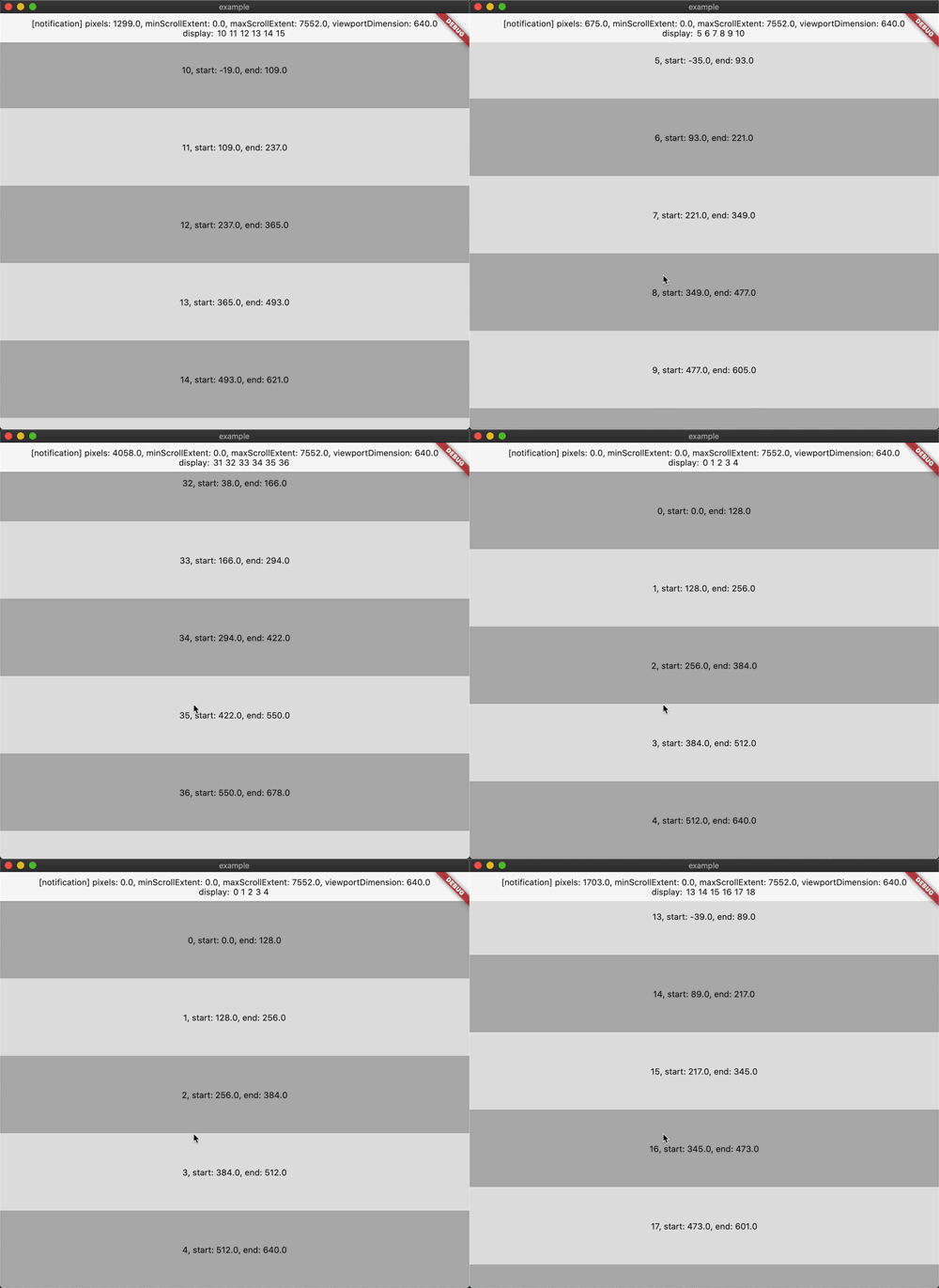
A library that listens to children inside scrollview

一个监听 scrollview 内部 child 的库

Screenshot

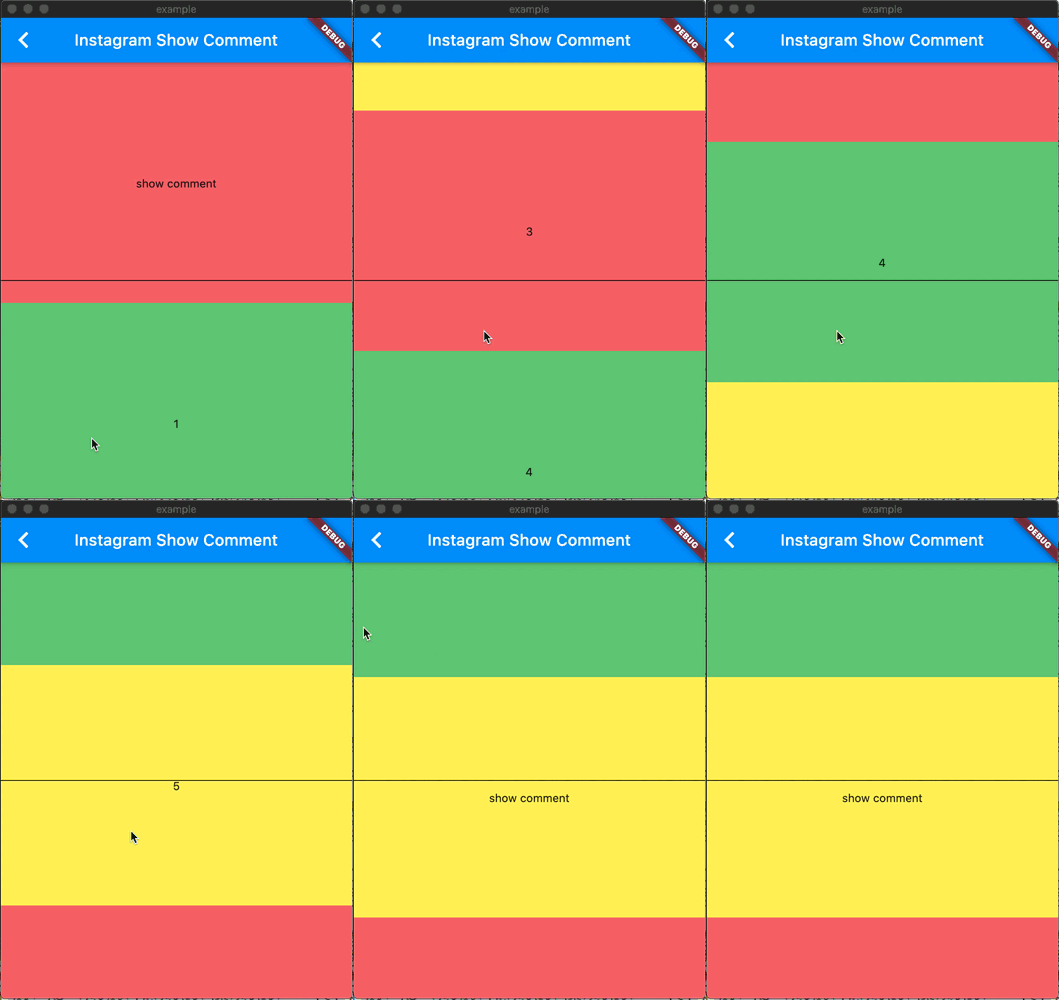
like Instagram show comment

Screenshot

Getting Started

widgets_visibility_provider: ^2.0.2

More info

Flutter 如何在 scrollview 监听子 widget

Flutter 实现类似 ins 的显示评论框效果

How to use

如何使用

First

Use WidgetsVisibilityProvider to wrap scrollview(CustomScrollView, ListView...)

使用 WidgetsVisibilityProvider 包裹 scrollview(CustomScrollview, ListView..)

WidgetsVisibilityProvider(
  // range condition default or return null condition is:
  // 范围判断默认或者返回 null 情况下执行的是:
  // positionData.endPosition >= 0 && positionData.startPosition <= positionData.viewportSize
  condition: (PositionData positionData)=> null,
  // No need to wrap directly
  // 不必直接包裹
  child: SomeWidget(
    child:  ListView.builder(// CustomScrollView, GridView...
      ...some code...
    ),
  ),
)
Second

Use VisibleNotifierWidget to wrap child widget

使用 VisibleNotifierWidget 包裹子 widget

on ListView:

ListView.builder(
  itemCount: itemCount,
  itemBuilder: (context, index) => VisibleNotifierWidget(
    // data type is dynamic, you can set everything or don't set or null
    // data 的类型是 dynamic, 你可以设置任何数据或者为 null 或者不设置
    data: index,
    // you can use builder or child
    // 你可以使用 builder 或者 child
    // positionData and notification is nullable
    // positionData 和 notification 有可能为空
    builder: (context, notification, positionData) => ...,
    // if you use builder, can't use listener and child
    // 如果你使用了 builder, 就不能使用 listener 和 child
    listener: (context, notification, positionData) {
      ...
    },
    child: child(),
    // default buildWhen or return null condition is:
    // 默认判断或者返回 null 情况下执行的是:
    // if (previousPositionData != currentPositionData) return true;
    // if (previousPositionData != null && currentPositionData != null)
    // return previousNotification != currentNotification;
    // return false;
    condition: (
      previousNotification,
     previousPositionData,
     currentNotification,
     currentPositionData,
     )=>...,
  ),
)

on SliverToBoxAdapter

SliverToBoxAdapter(
  child: VisibleNotifierWidget(
    // same to ListView example
    // 和上面一样
    ...
    child: child,
  ),
)

on SliverList

SliverList(
  delegate: SliverChildBuilderDelegate(
    (BuildContext context, int index) => VisibleNotifierWidget(
      // same to ListView example
      // 和上面一样
      ...
      child: child,
    ),
  ),
)
Maybe Third

If you want to watch all widget information

如果你希望一次过获取所有范围内的 widget 信息

Use WidgetsVisibilityBuilder or WidgetsVisibilityListener or WidgetsVisibilityConsumer in WidgetsVisibilityProvider childtree If you use bloc, you can also use WidgetsVisibilityProviderBloc

在 WidgetsVisibilityProvider 的子 widget 使用 WidgetsVisibilityBuilder 或者 WidgetsVisibilityListener或者WidgetsVisibilityConsumer 如果你使用 bloc,也可以使用 WidgetsVisibilityProviderBloc

WidgetsVisibilityBuilder(
  builder: (context, event) => someWidget,
  // Of course, you can also increase the judgment buildWhen
  // 当然你也可以增加条件
  buildWhen: (previous, current)=>...,
)

WidgetsVisibilityListener(
  // Of course, you can also increase the judgment listenWhen
  // 当然你也可以增加条件
  listenWhen: (previous, current)=>...,
  listener: (context, event) {
    ...
  },
  child: child,
)

WidgetsVisibilityConsumer(
  builder: (context, event) => someWidget,
  buildWhen: (previous, current)=>...,
  listenWhen: (previous, current)=>...,
  listener: (context, event) {
)
About data bean

PositionData

class PositionData extends Equatable {
  final double startPosition;
  final double endPosition;
  final double viewportSize;
  final dynamic data;

  ...other code
}

WidgetsVisibilityEvent

class WidgetsVisibilityEvent extends Equatable {
  final ScrollNotification notification;
  final List<PositionData> positionDataList;

  ...other code
}

Categories

Dependencies

Dependency list 3 items

Source repository

Projects using this package

No data available yet.