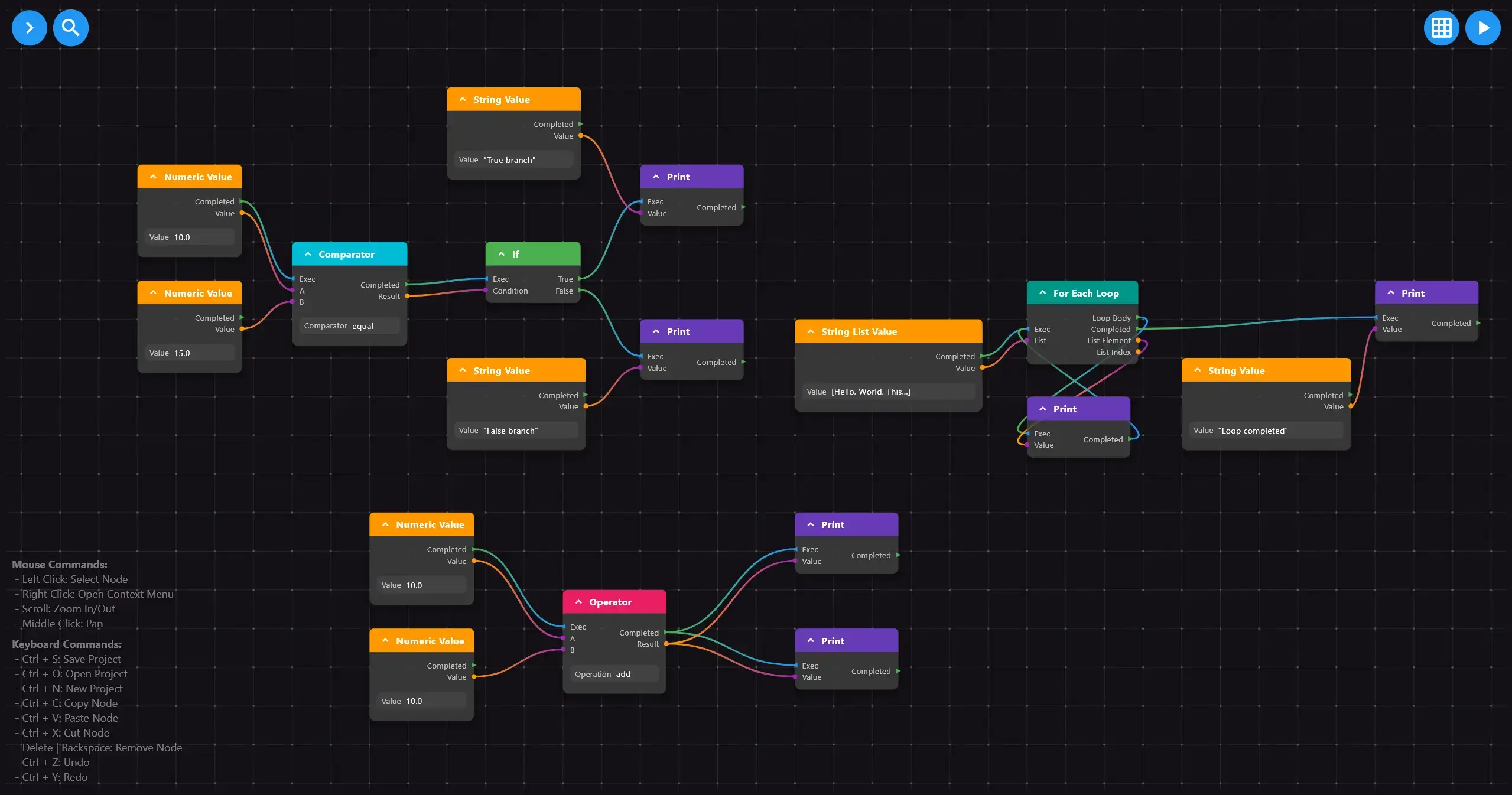
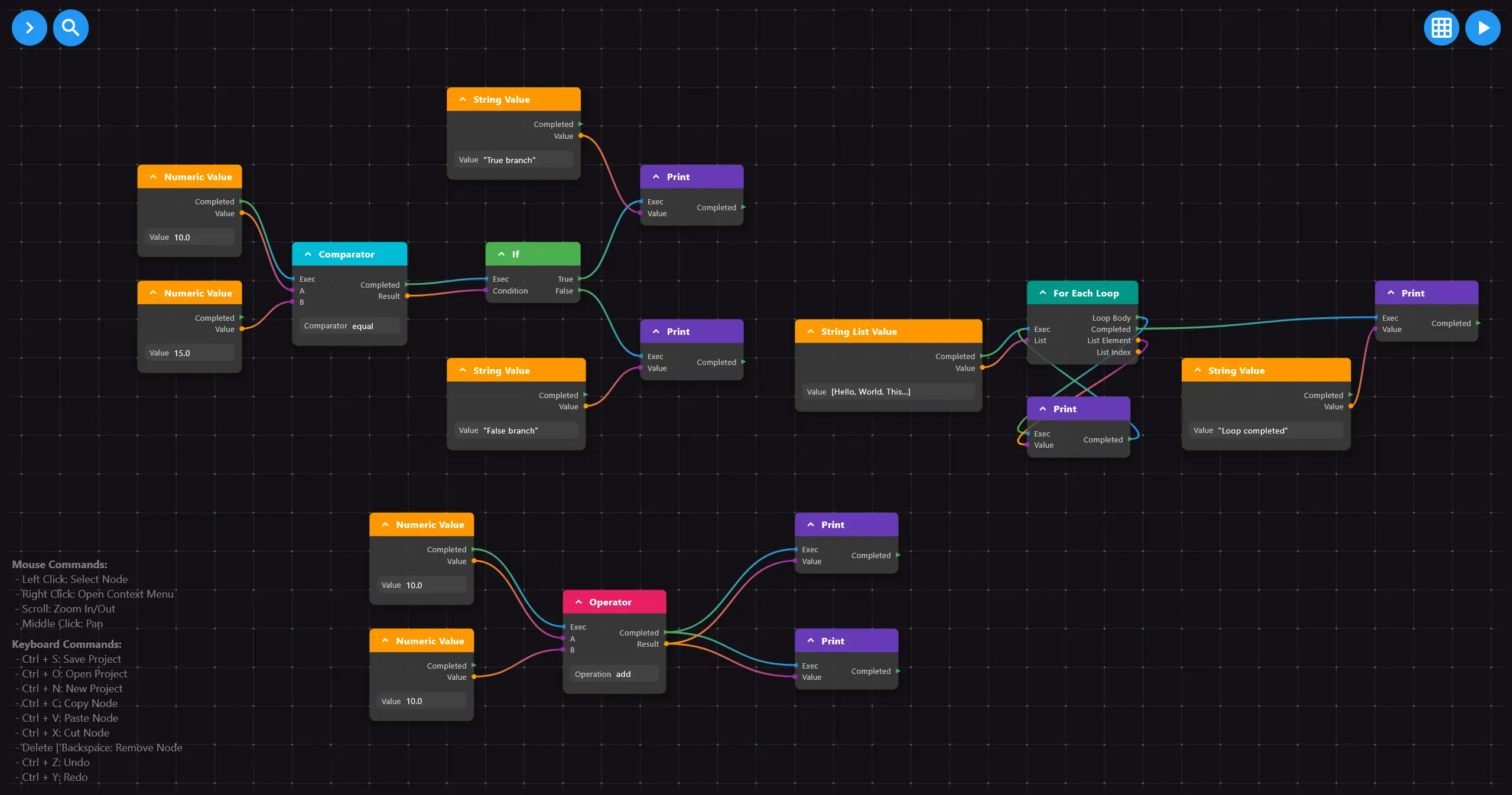
A lightweight, scalable, and highly customizable package that empowers Flutter developers to create dynamic, interactive, and visually appealing node-based UIs.
Package selection guidance compiled from public package information, community data, and project usage.
fl_nodes is a lightweight and highly customizable Flutter package designed for building dynamic, interactive node-based user interfaces. It enables developers to create visually appealing diagrams and workflows with ease, supporting features like drag-and-drop nodes, connections, and real-time updates. Ideal for applications requiring visual logic representation, such as flowcharts, data pipelines, or design tools. The package is scalable and works across all major platforms, including mobile, web, and desktop.
Use cases
Creating interactive flowcharts
Building data pipeline visualizations
Designing diagramming tools
Implementing workflow editors
Developing visual programming interfaces
Key features
Drag-and-drop node interactions
Customizable node and connection styling
Real-time UI updates
Cross-platform compatibility
Scalable architecture
Extensible plugin system
Suitable for
UI/UX designers using Flutter
Developers building visual editors
Educational app creators
Workflow automation tools
Data visualization projects
Considerations
Requires understanding of node-based logic
May need performance optimization for large graphs
Styling customization requires familiarity with Flutter widgets
Limited built-in templates
Best suited for medium to large-scale interactive diagrams
Original README
Original README snapshot from the linked source repository. Visit the repository for the latest content.
🏗️ FlNodes Framework
What do you think of badges? YES!
The FlNodes Framework is a modular, scalable ecosystem for building sophisticated node-based applications in Flutter. Designed for developers who need professional-grade visual editors, workflow tools, and graph-based interfaces, FlNodes provides a complete solution from low-level rendering to high-level abstractions.
A screenshot from our visual scripting example app
💡 Use Cases
Whether you're building tools for developers, designers, or end-users, FlNodes provides the building blocks for:
🎮 Visual Scripting Editors – Game logic, automation flows, or state machines.
🛠 Workflow & Process Designers – Business rules, decision trees, and automation paths.
🎨 Shader & Material Graphs – Build custom shaders visually.
📊 Dataflow Tools – ETL pipelines, AI workflows, and processing graphs.
🤖 ML Architecture Visualizers – Visualize and configure neural networks.
🔊 Modular Audio Systems – Synthesizers, effect chains, or sequencing tools.
🧠 Graph-Based UIs – Mind maps, dependency trees, and hierarchical structures.
🏗️ Framework Architecture
The FlNodes Framework is organized as a monorepo with specialized packages:
📦 Core Packages
fl_nodes_core – The engine that powers the FlNodes Framework.
fl_nodes – A proxy export package that maintains backward compatibility with earlier versions of the FlNodes framework.
🔌 Coming Soon
fl_nodes_visual_scripting
fl_nodes_mind_maps
fl_nodes_flow_graphs
📚 Getting Started
For a fast and easy setup, check out our Quickstart Guide. It covers the basics to get you up and running with FlNodes in no time!
If you're migrating from an earlier version, the fl_nodes package maintains backward compatibility while providing access to the new modular architecture.
📦 Installation
Choose the package that fits your needs:
dependencies:# For most users - high-level API with full featuresfl_nodes:^latest_version# For advanced users needing low-level controlfl_nodes_core:^latest_version
Regardless of the package you choose you must add the following asset: