Package selection guidance compiled from public package information, community data, and project usage.
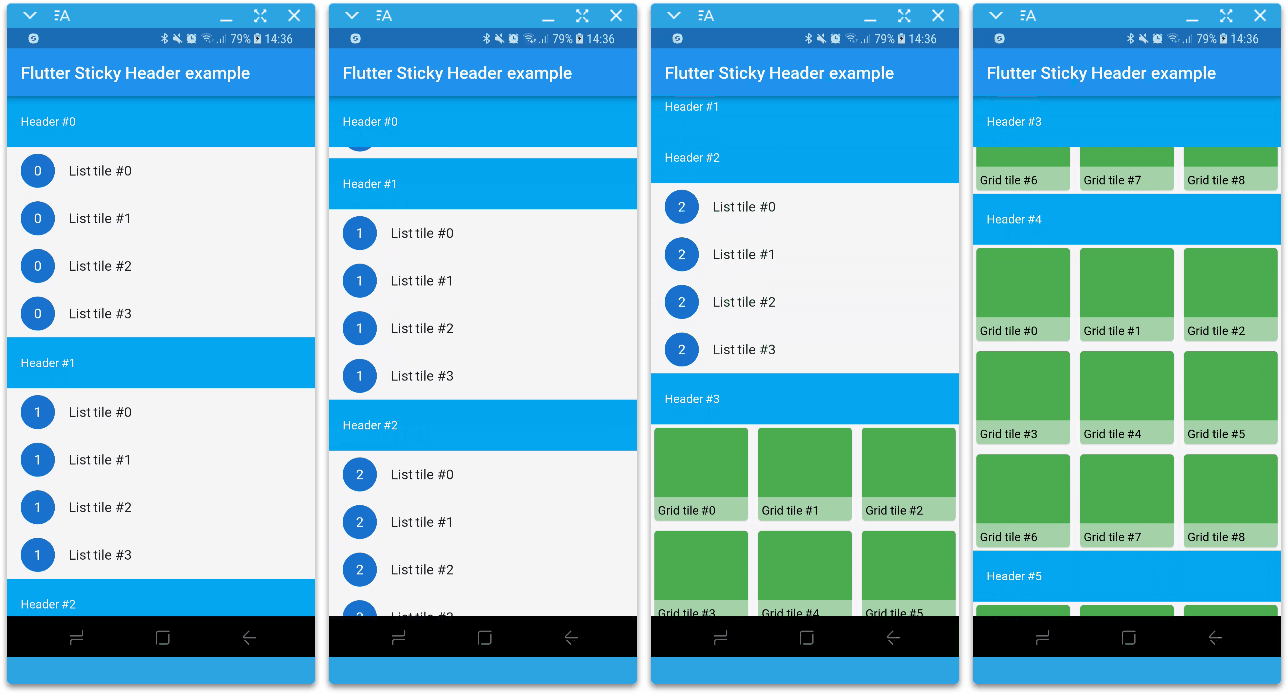
A Flutter package that implements sticky headers within a CustomScrollView using slivers. It allows headers to remain visible at the top of the scrollable content as users scroll through lists or grids, enhancing navigation and visual organization. Ideal for long lists with grouped items, such as contacts, messages, or categorized data. The package is lightweight, well-documented, and compatible across all major platforms.
Use cases
Grouped list views
Contact lists with alphabetical headers
Message threads with date headers
Categorized product listings
Scrollable dashboards with section headers
Key features
Sliver-based implementation
Automatic header pinning
Customizable header styling
Smooth scrolling behavior
Cross-platform support
Easy integration with CustomScrollView
Suitable for
Developers building scrollable lists with sections
Apps needing visually organized content
Projects requiring performance-optimized headers
Teams prioritizing platform consistency
Considerations
Requires use within a CustomScrollView
May need additional layout adjustments for complex headers
Not suitable for non-sliver scroll contexts
Limited customization beyond basic styling
Performance impact with very large datasets
Original README
Original README snapshot from the linked source repository. Visit the repository for the latest content.
flutter_sticky_header
A Flutter implementation of sticky headers with a sliver as a child.
Features
Accepts one sliver as content.
Header can overlap its sliver (useful for sticky side header for example).
Notifies when the header scrolls outside the viewport.
Can scroll in any direction.
Supports overlapping (AppBars for example).
Supports not sticky headers (with sticky: false parameter).
Supports a controller which notifies the scroll offset of the current sticky header.
Getting started
In the pubspec.yaml of your flutter project, add the following dependency:
You can find more examples in the Example project.
Sponsoring
I'm working on my packages on my free-time, but I don't have as much time as I would. If this package or any other package I created is helping you, please consider to sponsor me. By doing so, I will prioritize your issues or your pull-requests before the others.
Changelog
Please see the Changelog page to know what's recently changed.
Contributions
Feel free to contribute to this project.
If you find a bug or want a feature, but don't know how to fix/implement it, please fill an issue.
If you fixed a bug or implemented a new feature, please send a pull request.
Thanks
:clap: Thanks to slightfoot with it's RenderBox version (https://github.com/slightfoot/flutter_sticky_headers) which unintentionally challenged me to work in this RenderSliver version.