Search packages, repositories and app categories

measure_size cover
Package detailsv5.0.2

measure_size

A widget that provides a callback that is triggered when its size changes

AndroidiOSWebmacOSWindowsLinux
30-day downloads
15.4K
Likes
40
Pub points
160

Install package

flutter pub add measure_size

Package Overview

Package selection guidance compiled from public package information, community data, and project usage.

The measure_size package is a Flutter widget that triggers a callback whenever its size changes, enabling dynamic layout adjustments based on actual rendered dimensions. It wraps a child widget and monitors its size during the build and layout phases, making it ideal for responsive designs or animations that depend on precise measurements. The package works across all major platforms including Android, iOS, Web, macOS, Windows, and Linux, ensuring consistent behavior. It's particularly useful when you need to react to changes in container size without relying on fixed values.

Use cases

  • Responsive UI with dynamic sizing
  • Animations based on widget dimensions
  • Layout debugging
  • Dynamic content rendering
  • Real-time size monitoring

Key features

  • Triggers callback on size change
  • Cross-platform compatibility
  • Simple integration with existing widgets
  • Supports all Flutter platforms
  • No external dependencies

Suitable for

  • Developers needing real-time size feedback
  • UI components requiring adaptive layouts
  • Testing and debugging layout issues
  • Projects with dynamic or fluid design systems

Considerations

  • May impact performance if overused
  • Callback may fire multiple times during layout
  • Not suitable for static size requirements
  • Requires careful handling in complex widget trees
  • Limited to size changes, not position or offset
Original README

Original README snapshot from the linked source repository. Visit the repository for the latest content.

measure_size

A Flutter package for efficiently measuring widget sizes and building size-aware, adaptive layouts with minimal overhead.


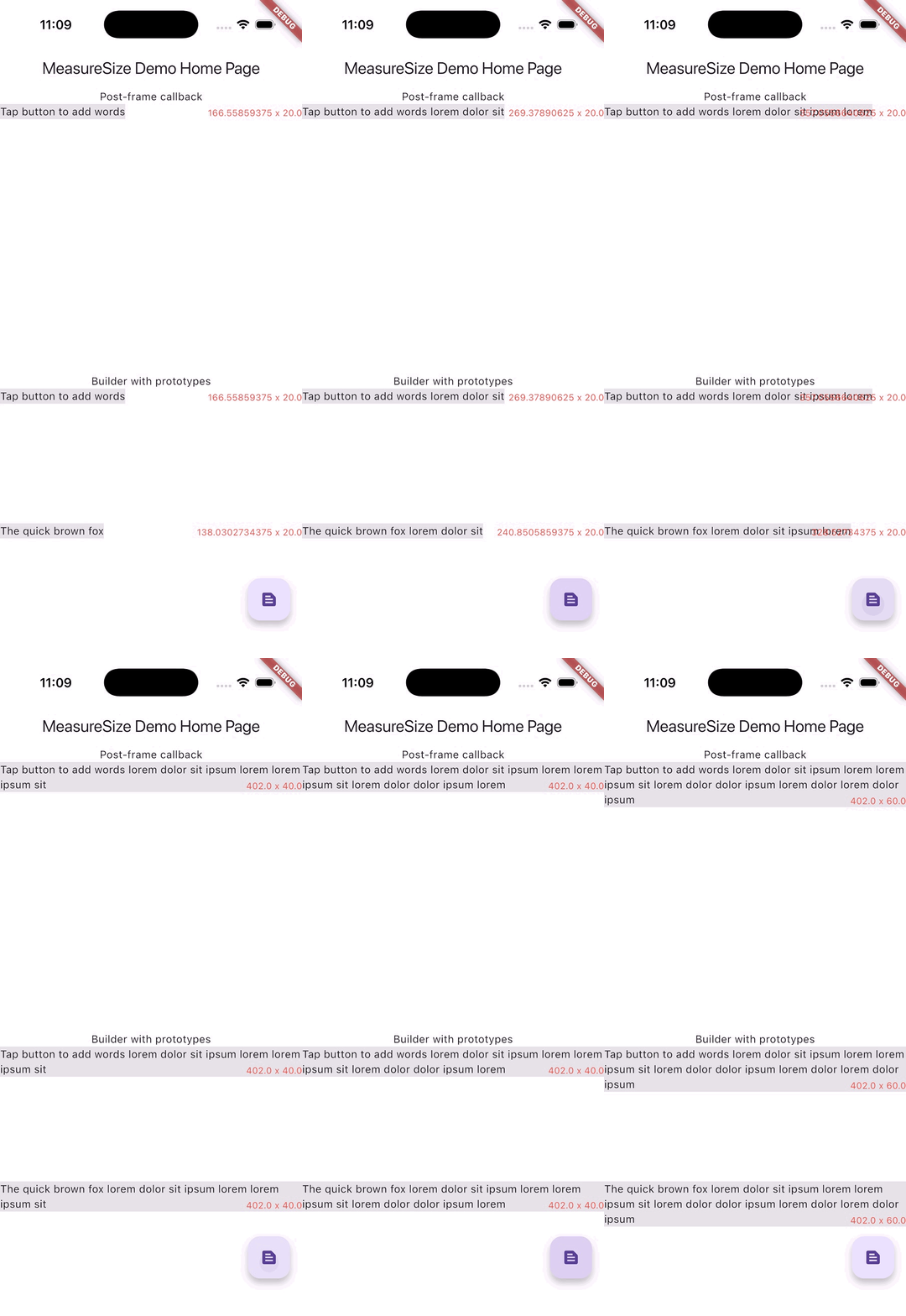
Measuring text and drawing an overlay with matching size


MeasureSize MeasureSizeBuilder
Purpose Monitor size changes Prototype-driven layout
Callback timing Post-frame During layout (invokeLayoutCallback)
Measurements Single widget Multiple prototypes
Use case Reactive to size changes Proactive layout decisions
Complexity Simple Advanced
Performance Good Excellent (single pass)
PreferredSizeWidget limitation Does not work First frame problematic

import 'package:measure_size/measure_size.dart';

Widget child = Text('Lorem ipsum dolor sit amet');

MeasureSize(
    onChange: (Size newSize) {
        /// [newSize] will be the displayed size of [Widget child]
    },
    child: child,
);

MeasureSizeBuilder<String>(
    prototypeConstraints: (constraints) => BoxConstraints(
      minWidth: 0,
      maxWidth: constraints.maxWidth,
      minHeight: 0,
      maxHeight: double.infinity,
    ),
    prototypes: [
      PrototypeId(
        id: 'lorem',
        child: child,
      ),
    ],
    builder: (context, sizes) {
      // [sizes['lorem']] will be the layed out size of [Widget child]
      return child;
    }
);

MeasureSize

Required
  • Widget child - This widget will be displayed and and measured.
Optional
  • void onChange(Size newSize) - A callback that is fired exactly once after the first frame of the child widget is rendered.

MeasureSizeBuilder<T>

Required
  • List<PrototypeId<T>> prototypes - Wrap widgets you'd like to measure with PrototypeId and provide a unique identifier for each widget.
  • PrototypeWidgetBuilder<T> builder - A builder function that contains the sizes of all prototypes.
  • PrototypeConstraintCalculator prototypeConstraints - Constraints to be assigned to each prototype widget.

Example

A demonstration can be found in the example directory. To run the example:

flutter run example/main.dart

Credits

Categories

Source repository

Projects using this package