Search packages, repositories and app categories

statsfl cover
Package detailsv2.3.0

statsfl

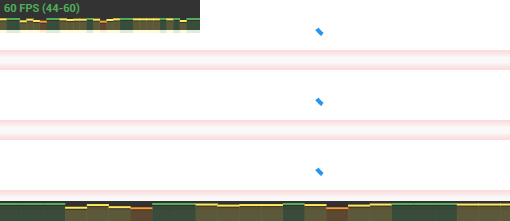
A simple FPS monitor for Flutter. Helps to easily diagnose performance problems in your applications.

AndroidiOSWebmacOSWindowsLinux
30-day downloads
6.1K
Likes
130
Pub points
145

Install package

flutter pub add statsfl

Package Overview

Package selection guidance compiled from public package information, community data, and project usage.

StatsFL is a lightweight Flutter package that provides an easy-to-use FPS (frames per second) monitor for debugging performance issues in Flutter applications. It displays real-time frame rate data directly within the app, helping developers identify rendering bottlenecks and optimize UI responsiveness across Android, iOS, Web, macOS, Windows, and Linux platforms. The package integrates seamlessly with minimal setup, making it ideal for development and testing phases.

Use cases

  • Performance debugging during development
  • Identifying UI lag or stutter
  • Monitoring app responsiveness on different devices
  • Real-time frame rate visualization
  • Testing optimization improvements

Key features

  • Displays live FPS counter
  • Minimal integration effort
  • Cross-platform support
  • Customizable overlay appearance
  • Lightweight and non-intrusive

Suitable for

  • Flutter developers troubleshooting UI performance
  • Teams conducting performance testing
  • Educational projects learning about app optimization
  • Apps requiring smooth animations and transitions

Considerations

  • Not intended for production release
  • Overlay may affect UI design
  • Limited to FPS monitoring only
  • No advanced profiling tools included
  • May need to disable in final builds

Original README

Original README snapshot from the linked source repository. Visit the repository for the latest content.

statsfl - A simple FPS monitor for Flutter

🔨 Installation

dependencies:
  statsfl: ^2.2.0+1
⚙ Import
import 'package:statsfl/statsfl.dart';

🕹️ Usage

Just wrap your root view in the StatsFl widget:

StatsFl(child: MyApp());

There are a few additional options you can play with:

return StatsFl(
        isEnabled: true, //Toggle on/off
        width: 600, //Set size
        height: 20, //
        maxFps: 90, // Support custom FPS target (default is 60)
        showText: true, // Hide text label
        sampleTime: .5, //Interval between fps calculations, in seconds.
        totalTime: 15, //Total length of timeline, in seconds.
        align: Alignment.topLeft, //Alignment of statsbox
        child: MyApp());

🐞 Bugs/Requests

If you encounter any problems please open an issue. If you feel the library is missing a feature, please raise a ticket on Github and we'll look into it. Pull request are welcome.

📃 License

MIT License

Categories

Source repository

Projects using this package