
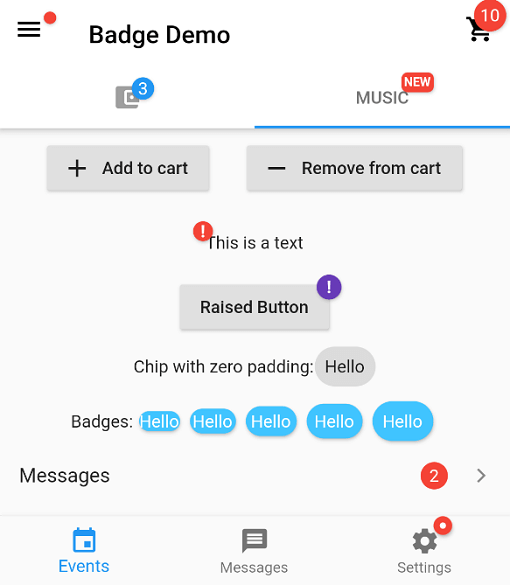
Overview
The badges package provides a simple way to add decorative badges to any widget in Flutter applications. These badges can display numbers, labels, or icons and are commonly used to highlight notifications, cart counts, or status indicators. Designed for ease of use, it supports various customization options such as position, shape, color, and size. The package is compatible across all major platforms including Android, iOS, Web, macOS, Windows, and Linux, making it ideal for cross-platform apps that need consistent visual feedback.
Use cases
- Displaying item counts in shopping carts
- Highlighting unread messages or notifications
- Indicating product availability or status
- Adding visual markers to UI elements
- Showing progress or completion levels
Key features
- Easy integration with any widget
- Customizable badge content and style
- Supports multiple positions (top-left, top-right, etc.)
- Cross-platform compatibility
- Lightweight and performant
- Configurable colors and shapes
Suitable for
- E-commerce apps needing cart counters
- Messaging or social media apps for notifications
- Dashboard widgets with status indicators
- UIs requiring visual feedback for user actions
- Developers seeking lightweight badge solutions
Considerations
- May require careful positioning to avoid overlapping with other UI elements
- Limited built-in animations (external animation packages may be needed)
- Not designed for complex interactive badges
- Best suited for simple numeric or label-based indicators
- Performance impact negligible but should be tested in large lists